



February 06, 2026
How AI Fits Into UX Design Workflow: The Artkai Method
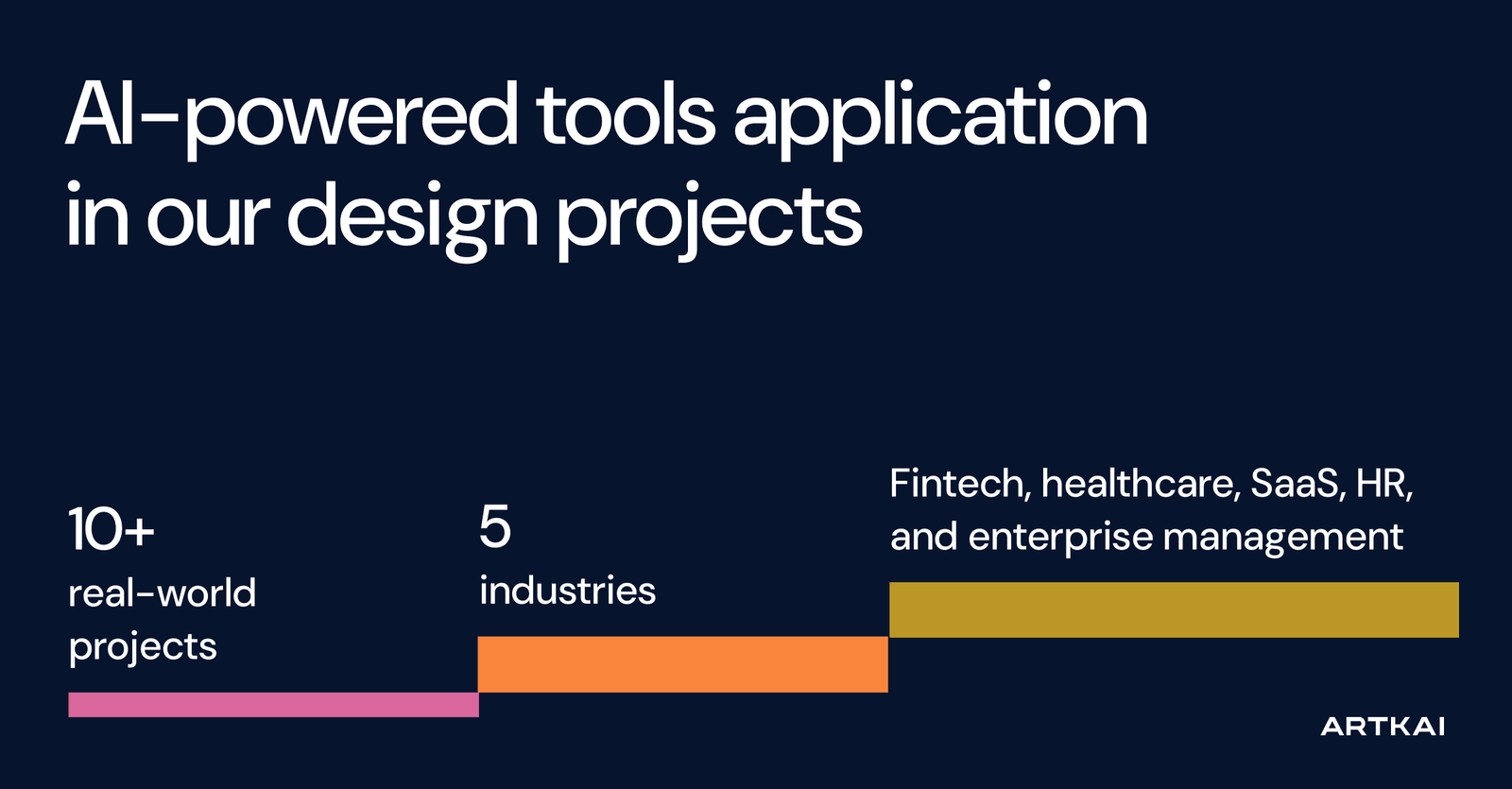
AI is increasingly affecting all aspects of life and work, and product design is no exception. While some businesses see its potential to improve processes and increase productivity, others have significant reservations due to its risks and uncertainties. In recent years, Artkai's design team has applied a range of AI-powered tools to 10+ real-world projects across fintech, healthcare, SaaS, HR, and enterprise management. We have learned how to use them to design and validate concepts smarter and faster, as well as to deepen understanding and exploration across diverse markets and domains.
Are you considering this aspect for your business project as well? Let us share our experience, showing you how we integrate AI into product design to deliver measurable impact for businesses based on practical cases. Also, we will discuss the risks associated with AI and the ways we avoid them.
1. Artkai’s Approach: How We Wisely Integrate AI into Design Practice
2. Using AI for Research and Discovery
3. Boosting UX Ideation and Exploration with AI
4. Human in the Loop: Designers Create, AI Assists
5. Rapid AI-Driven Validation of Hypotheses
6. AI Tools for UX Design: Benefits and Constraints
7. Potential Risks of Using AI in UX Design
8. Business Impact: Value of AI-Powered UX Design for Artkai’s Clients
Artkai’s Approach: How We Wisely Integrate AI into Design Practice
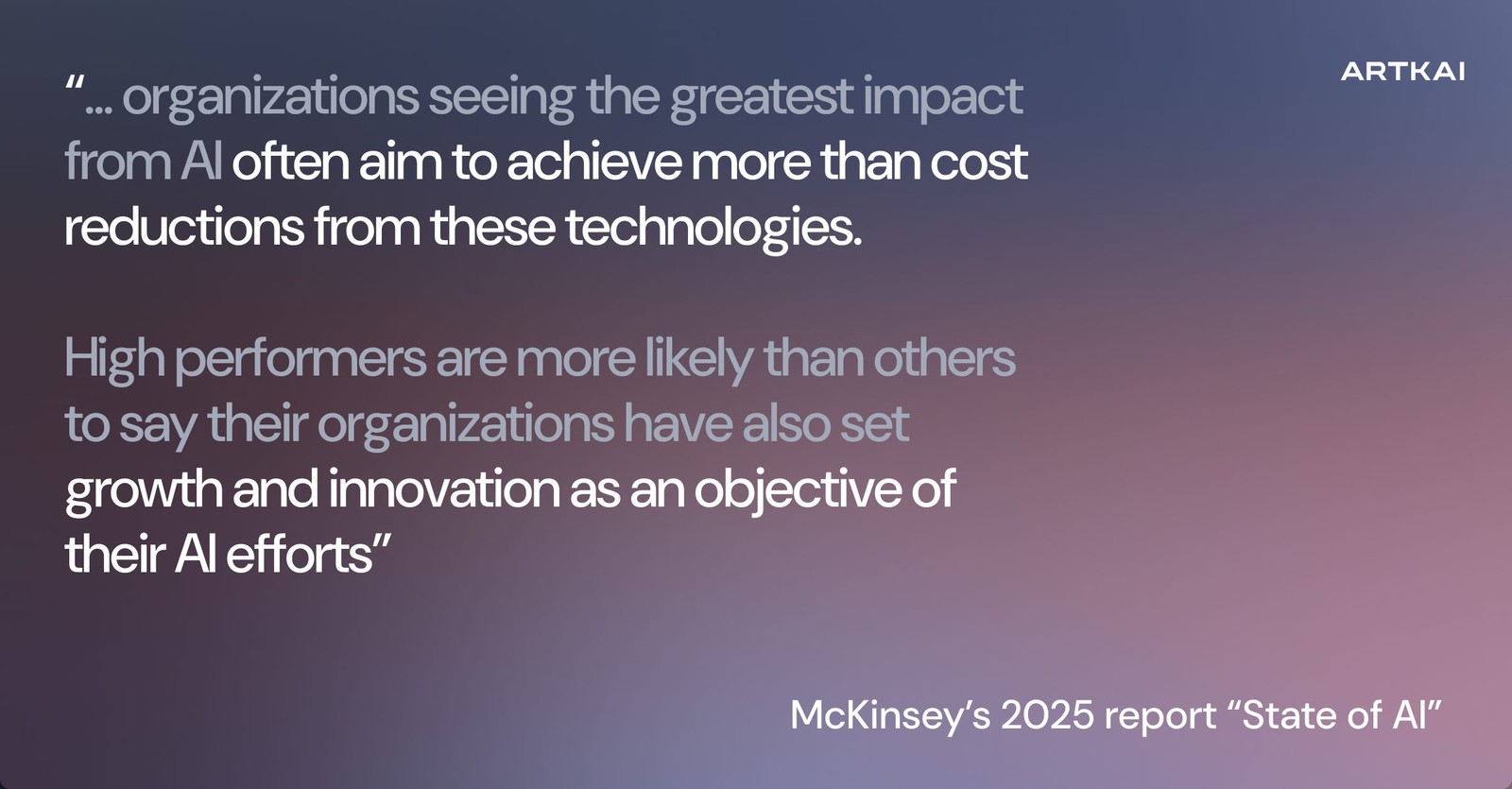
Having tested AI's potential extensively in practice, Artkai's design team joined the skillfulskilful strategists who leverage it to increase what they can accomplish in creating modern, efficient user experiences, thereby amplifying our positioning as high performers in building user-centric, business-driven digital solutions. That aligns in particular with different considerations in the recent McKinsey report on the state of AI. While most respondents report that efficiency gains are an objective of their organizations’ AI use, high performers are more likely than others are to say their organizations have also set growth and/or innovation as an objective of their AI efforts”.
For Artkai UX professionals, AI is not a replacement for designers at any stage. Instead, it is an intelligent, restless assistant or copilot that empowers creators to multiply their efforts and reassign them in the most effective way to enhance creative flow. As broadly educated professionals, our UX designers effectively use AI for generations and explorations, leveraging their expertise to validate outcomes and combine them with their own analytical observations to deliver the best results for clients’ businesses.
Let’s look at key points of how we integrate AI in UX design for digital products in specific practical cases, such as a complex HR management platform or an online banking digital solution:
- to amplify research and discovery
- to boost UX ideation, complex vision, and documentation
- to maximize the efficiency of AI potential with the human-in-the-loop effect
- to validate ideas and concepts.
Using AI for Research and Discovery
One of the user experience design phases where AI-powered tools show significant potential to enhance and speed up the work process is the discovery and research stage. Here, artificial intelligence can be employed as a collaborator whose tasks include, for example, automating manual data entry and accelerating data collection and processing. By using AI in the field and applying it to practical user-experience needs, we can see how AI assistants have evolved from simply summarizing data to assisting in generating hypotheses and simulating user behavior.
In addition, LLM-based research and AI clustering enable UX designers to process user interviews, reviews, market reports, and behavioral data much more quickly. UX designers can save time by rapidly obtaining data to analyze for specific project requirements and contexts, identifying patterns, mapping pain points or problems, and segmenting users.
Practical case:
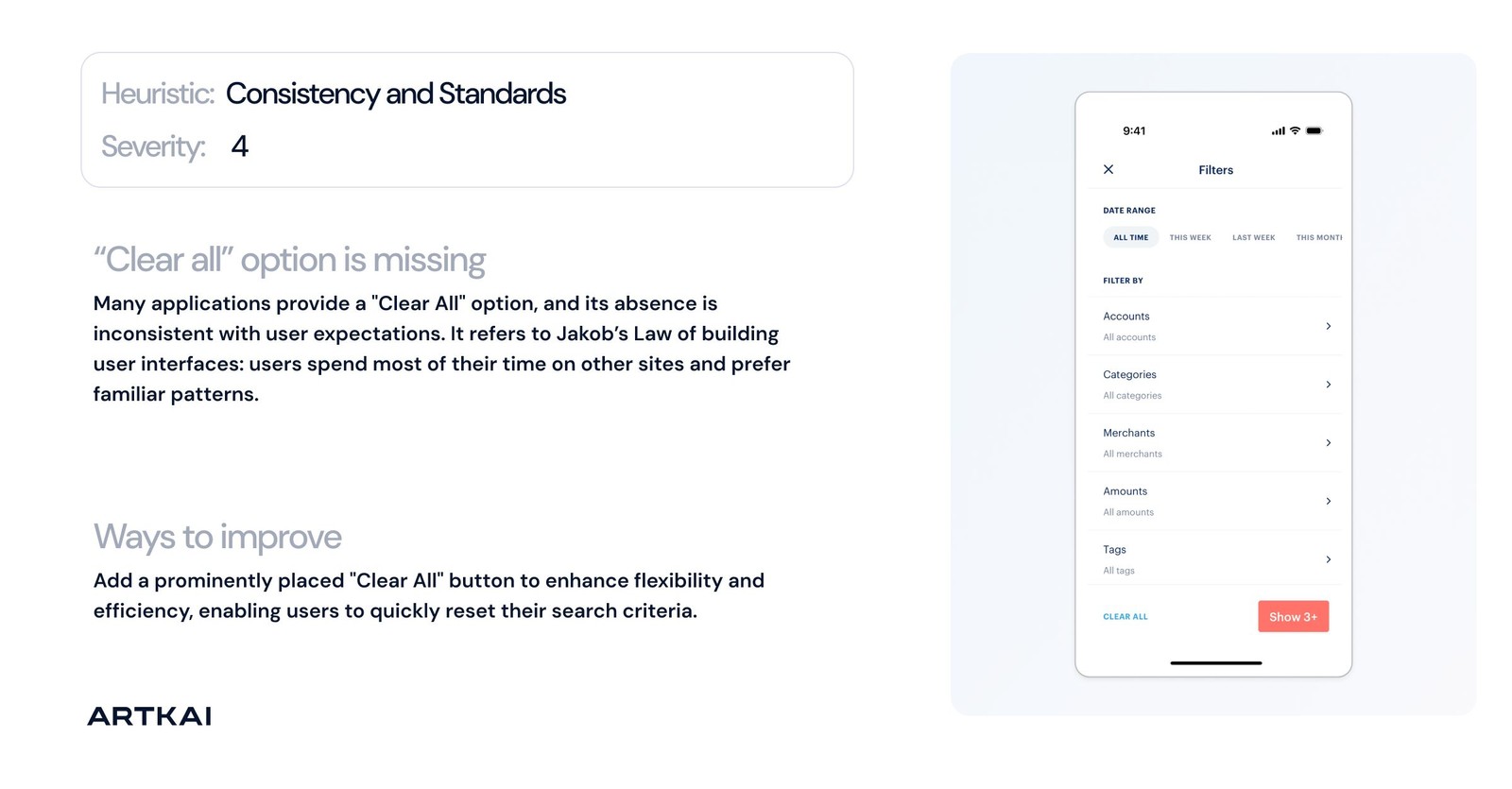
For the redesign of a complex HR management platform in the security domain, our UX design team used AI tools, primarily ChatGPT, to conduct an AI audit of the existing interfaces and to perform extensive market and user research and competitive analysis during the discovery stage. The platform was already live in both cross-platform mobile and web formats, so both directions needed careful data collection and analysis.
By applying AI, UX designers could significantly boost discovery insights collection while accessing and analyzing diverse data, and by testing different narrow requests from the perspectives of different user categories or specific features across various environments and user scenarios. AI helped conduct research and analysis more effectively across niche professional features.
Additionally, AI helped prepare, structure, and present a large, complex report based on all collected and analyzed data, providing clients with the information and defining problems in the existing UI in a well-organized manner. Under the careful expert curation of the UX designer, artificial intelligence served as an industrious assistant, speeding up the time-consuming process of reviewing all existing screens and interactions, conducting heuristic analysis, and transforming the data into clear, straightforward slides for discussion with stakeholders and for use in subsequent design stages.
With an AI-powered approach, the team reduced the product discovery and audit stages by 20% using all the diverse potential of artificial intelligence, for example, combining computer vision and text recognition. This approach saved time and resources, enabling work at a more strategic level. The team moved into the actual design phase much faster, armed with a broad range of information to make confident decisions.
Boosting UX Ideation and Exploration with AI
Another important advantage of AI is its ability to enhance the creative process at the initial stage and help UX designers move quickly beyond the blank-canvas point. What’s more, tools that generate UI concepts and prompt-based wireframes can also speed up the design process by enabling the UX team to explore and evaluate more conceptual solutions in less time.
By delegating the mechanical or repetitive aspects of the work to AI tools like Figma Make, designers can generate multiple layout options in seconds, get a quick bird's-eye view of their ideas, and expertly analyze and validate them. It allows UX professionals to focus on analysis and deeper strategic thinking to choose the most effective direction aligned with business goals and user needs, and to breathe life into it as a working, user-centric digital solution.
Practical case:
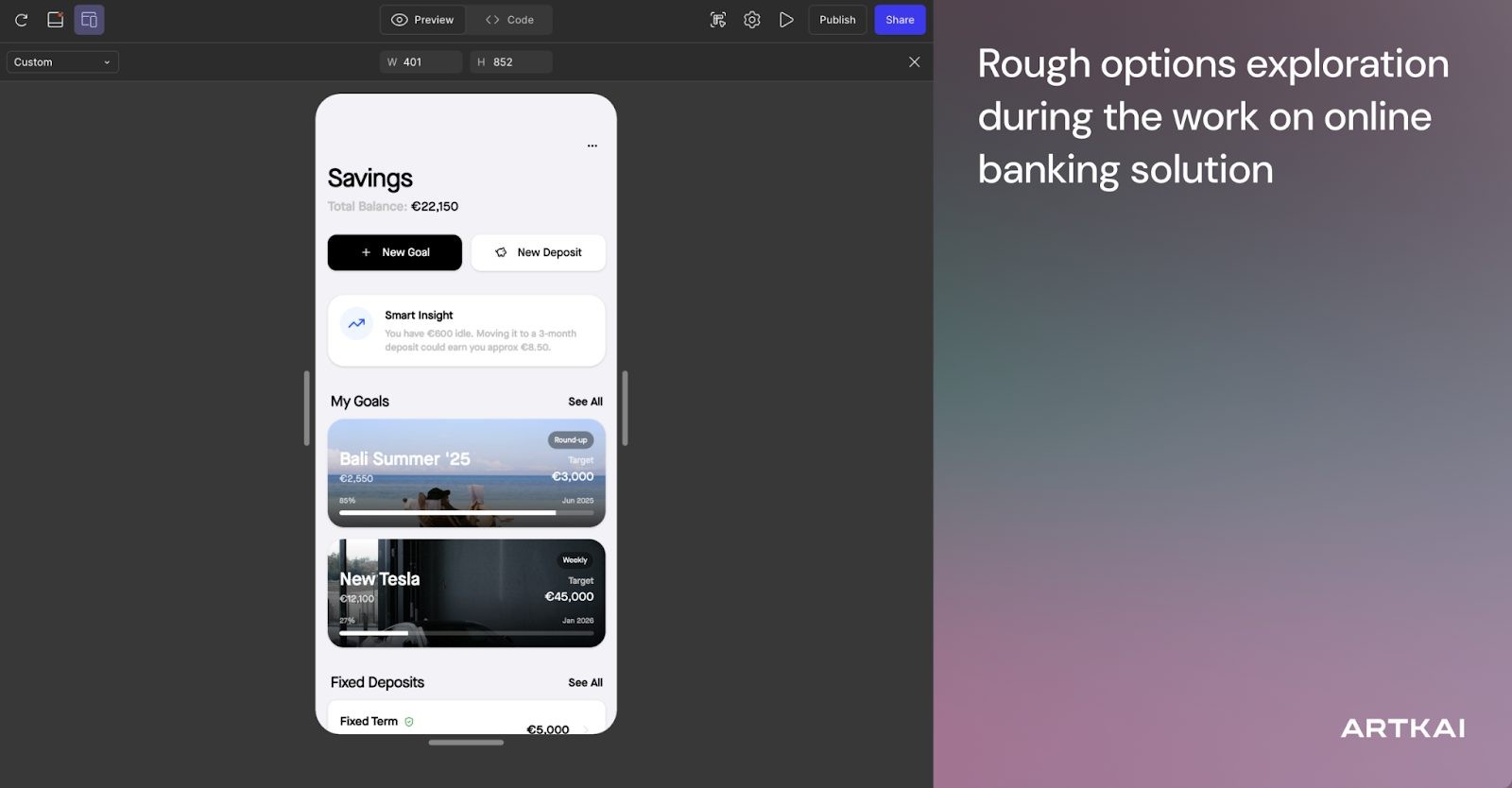
Working on the large online banking solution, our UI/UX designers used AI in Figma to generate sketch-like rough options for various prompt-based screens and interactions. That helped speed up ideation: by shifting focus from standard elements to a broad view of the user experience, the design team could validate ideas faster and assess how they align with the business goals and how development-friendly they are.
Another point was that Figma Make allowed designers to explore non-obvious features and scenarios, provided more specific, narrow-focused prompts, and instantly saw the corresponding visual changes in the solutions. Such an opportunity presented a massive boost at the ideation stage, as it allowed designers to brainstorm and enhance the ideas without the need to spend much time on design to see how that works or doesn’t work. It allowed us to focus on strategic creativity rather than working long hours to create visual concepts that may not work.
Human in the Loop: Designers Create, AI Assists
Our approach to the wise integration of AI into the UI/UX design process is always based on the human-in-the-loop principle. We take advantage of the AI tools to accelerate research and idea generation, provide additional context and oversight at different stages of the process, and identify biases or edge cases. Still, we never place the final creative solution on AI only. Human judgment and intelligence, business objectives, and product strategy are always kept at the center.
Such an approach means that every AI-generated screen or hypothesis is treated as a raw draft rather than a final asset and is carefully considered. The UX design team evaluates every suggestion from the AI tool from the perspective of:
- actual users’ needs
- usability standards
- business goals
- accessibility
- technical feasibility and development-friendliness
This approach ensures that creative expertise, domain experience, a human-centric vision, and strategic product thinking remain the solid foundation for decision-making.
Practical case:
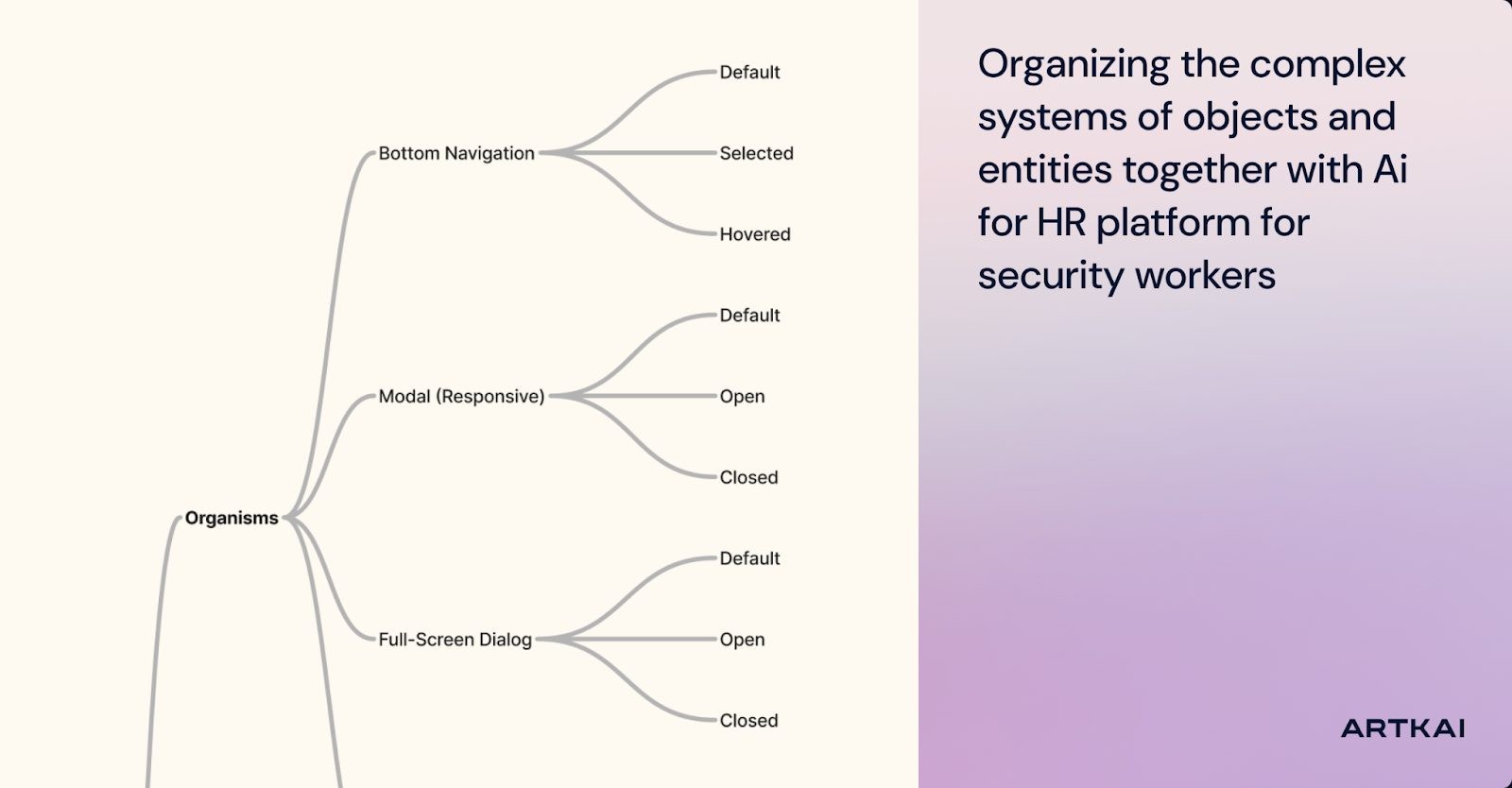
Redesigning the large HR platform for security workers' employment, the UX design team leveraged AI tools to enable faster, more efficient object-oriented mapping. As the platform was highly complex and data-heavy, and included both mobile and web user experiences, AI enabled the Artkai designers to organize the complex systems of objects and entities more quickly, freeing up time and creative resources for more strategic tasks.
Sure, all AI groupings, add-ons, and suggestions were carefully checked by the design team. Still, that took about 25% less effort to build and draw the system manually from scratch, enabling the team to devote more time to testing and polishing the solutions.
Rapid AI-Driven Validation of Hypotheses
One of the benefits of modern AI-based tools is that, used wisely, they can accelerate testing and validation of UX design solutions. This aspect is critical for building MVPs and breathing life into startup-driven products; still, it also helps analyze user data and behavior to enhance and modernize large-scale enterprise digital platforms and drive their evolution.
AI serves UX designers here by providing an inventory perspective on design systems. It effectively defines component taxonomy: from the bottom up, like tokens and core interface elements, to top-level structures, where elements are interconnected into larger entities like navigation components, complex job cards, etc. Yet, make no mistake: the job of AI is to assist UX professionals in developing high-quality hypotheses, any of which should later be proven through testing, user validation, or other design-oriented methods, as well as practical experience and human expertise.
Practical case:
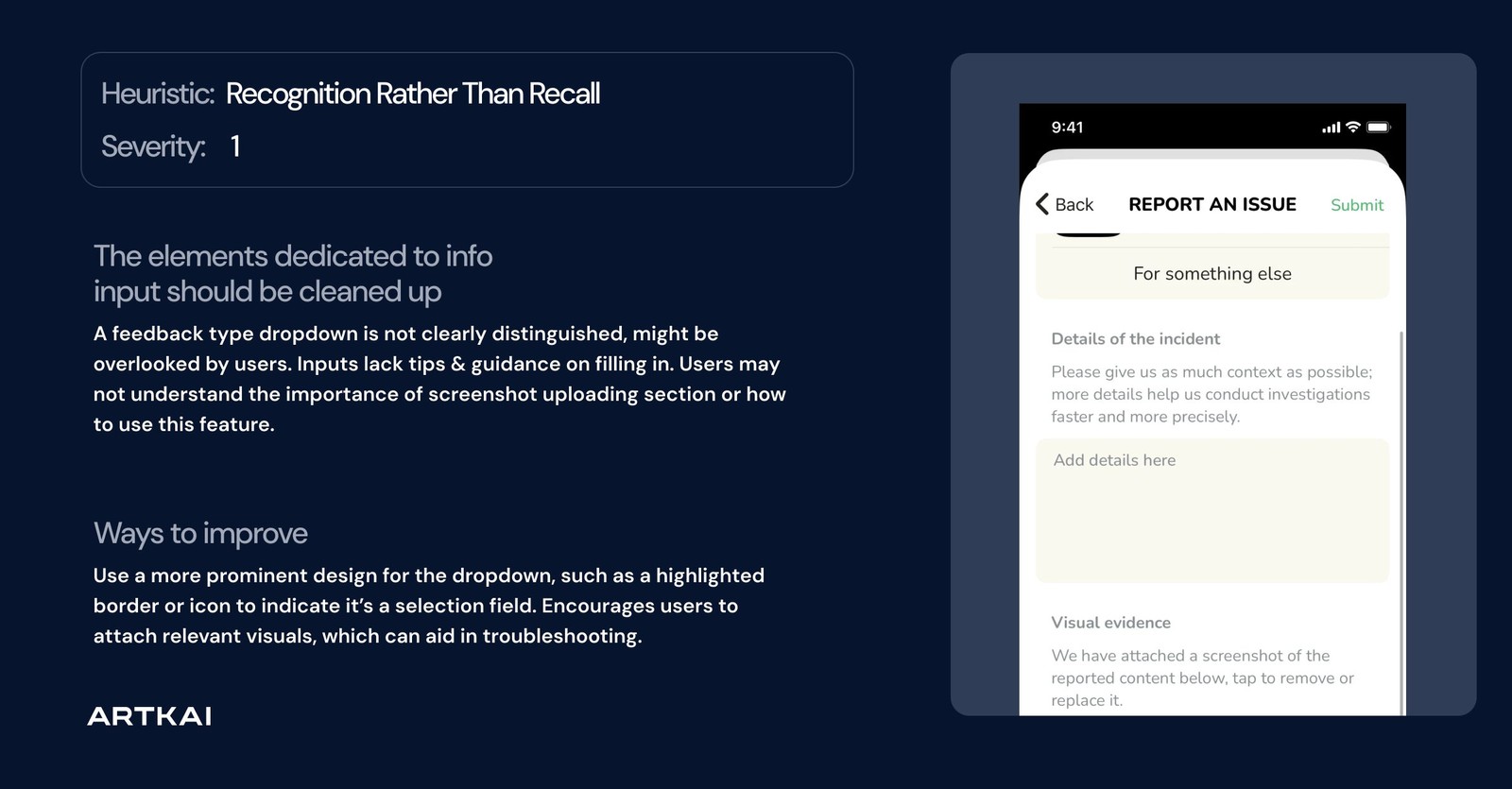
In building a large-scale platform for hiring security workers, AI helped our team analyze and systematize the proposed design system, identify potential gaps and pitfalls, and address them at the design stage to deliver a cost-efficient, scalable solution before moving into development. As practice shows, this approach is especially beneficial for large products with numerous interactions, transitions, and possible scenarios.
AI also assisted with the rapid analysis of UI/UX design solutions across design principles and approaches: the golden-standard 10 interface heuristics by Nielsen, some of the WCAG 2.2 aspects, UX laws, and assumptions on the possible cognitive biases that may influence user perception in the specified scenarios. Indeed, it doesn’t mean all results can be taken on trust; however, applying human design expertise to AI results delivers them to clients faster and allows UX specialists to focus more on strategic decisions and significant details rather than building all the systems and tables from the ground up.
AI Tools for UX Design: Benefits and Constraints

Artkai designers have mastered integrating AI-powered tools as a practical extension of their design toolkit.
The AI-powered tools that we use in the UI/UX design process, to a greater or lesser extent, include:
- Figma Make
- LLM-Based UX Research Assistants (ChatGPT, Gemini, Claude)
Two primary tools whose potential for integration into user experience design Artkai has mastered most diversely and tested in many practical cases of building user interactions for real products are ChatGPT and Figma Make.
Let’s explore in more detail which stages and design tasks various AI tools can uplift, and which essential constraints and pitfalls require human oversight.
Figma Make
Suitable for: UI/UX ideation, design architecture and layout suggestions, UX alternatives exploration, code-ready design drafts
Pros:
- Instantly generates multiple layout variations, states, and UI alternatives, helping designers move beyond the blank-canvas stage
- Speeds up low-fidelity ideation and component creation
- Handy for fast “what if” explorations in the early design phase
Cons:
- Designs can feel generic without manual refinement
- Struggles with complex logic and product-specific nuances
- Requires highly detailed prompts to give a satisfactory result
- Code generated by the tools should not be considered production-ready
Where human oversight is needed:
Figma AI is a great assistant for seeing over multiple options that can be quickly visualized. However, it is far from perfect, and selecting the right option still requires an experienced, knowledgeable UI/UX designer who understands user needs, usability nuances, development requirements, business constraints, and how to align them with a product's brand identity.
LLM-Based UX Research Assistants (ChatGPT, Claude)
Used for: research synthesis, competitor analysis, persona hypotheses, content modeling
Pros:
- Significant increase in operational efficiency by reducing manual task time and enabling up to 3x higher document processing speed
- Summarize large research datasets in minutes
- Help identify patterns across interviews, surveys, and competitor audits
- Accelerate hypothesis creation and problem-framing
- Consistency is not affected by fatigue, unlike human intelligence, allowing designers to have an assistant that efficiently and consistently applies tagging or coding logic across thousands of entries.
Cons:
- Can hallucinate or misinterpret the nuance of real user data
- Require careful validation to avoid bias-driven recommendations
- Tend to simplify complex user problems, which leads to the premature closure of interpretation and loss of deeper strategic insights
Where human oversight is needed:
AI-generated insights should never be relied on blindly; an experienced UX designer should cross-check them according to real user behavior, analytics, or qualitative data.
5 Potential Risks of Using AI in UX Design

However tempting it may be to leverage AI to massively enhance and accelerate visual design, both businesses and design teams may not consider this option. Mostly, that happens because they are anxious about potential risks and aren’t sure they won’t outweigh the benefits. Having worked on diverse practical AI use cases across different stages of user experience design, we can identify five major risk factors that concern clients and explain how we address them.
1. Data Privacy and Security Risks
As AI tools often work based on processing real user data, behavioral logs, or product insights to generate accurate outputs, mishandling this may lead to:
- sensitive customer information exposure
- broken compliance with GDPR, SOC 2, or financial regulations
- vulnerabilities when using cloud-based AI platforms
How Artkai mitigates risk: anonymization, on-premises/private-workspace AI tools, and adherence to strict data-governance processes.
2. Bias and Ethical Design Risks
Imperfect AI models containing systemic biases present in training data can lead to:
- non-inclusive user flows
- accessibility issues
- alienation of user segments
How Artkai mitigates risk: accessibility checks, inclusive UX principles, and bias-detection reviews.
3. Inconsistent Outputs Across Tools
Different tools can generate assets in varying styles and quality, which can lead to broken consistency and increase the possibility of risk factors influencing usability and accessibility, such as:
- fragmented design experience
- broken design system logic
- increased rework during handoff
How Artkai mitigates risk: unified AI design workflow, data governance, and design lead reviews.
4. Compliance and Regulatory Risks
Unvetted AI instruments can violate industry-specific compliance rules, especially in heavily regulated sectors such as fintech, healthcare, and enterprise platforms. The significant risks include:
- using AI that logs sensitive financial or personal data
- building non-compliant UI flows (KYC/AML, ADA/WCAG, PSD2, HIPAA)
How Artkai mitigates risk: compliance-aware design backed by deep domain expertise, controlled data inputs, and private AI deployments.
5. Security of AI Plugins and Integrations
Another essential consideration is that Figma plugins, browser-based tools, and LLM agents may store or reuse design data, which may lead to such risks as:
- third-party data leaks
- malicious plugin behavior
- unauthorized model training on your design assets
How Artkai mitigates risk: vetted plugin lists, internal security reviews, and safe AI workspace policies.
Business Impact: Value of AI-Powered UX Design for Artkai’s Clients
Employing AI as part of the design toolkit and workflow is not a creative exercise or a fad; it’s also far from merely speeding up the design process. Our primary goal in leveraging artificial intelligence in the UX design process is to deliver measurable business value and provide the best solutions aligned with clients’ business goals in the most efficient way. By integrating constantly evolving AI technology into discovery, research, ideation, and prototyping, we create a broader space and more data to find successful solutions, and help our clients’ digital products reach the market without compromising quality or strategic depth.
Here are some key aspects of business value we provide, mastering the AI-powered UX design process:
- Accelerated research, prototyping, and documentation. AI-powered assistants help the design team synthesize market insights, cluster user pain points, and extract behavioral patterns much faster than traditional research methods demand. Faster analysis enables faster concept development and earlier validation, reducing early-stage uncertainty and allowing businesses to test ideas sooner and evolve more quickly.
- Improved user engagement and conversion due to multi-variant UX options. AI is highly effective at enabling us to compose multiple UI variations, map assumptional user interactions, and identify potential friction points that definitely need user in-person validation during the design stage before actual development. This allows designers to create interfaces shaped by solid behavioral predictions, leading to higher onboarding completion rates, smoother checkout flows, and stronger long-term engagement, building a loyal and trusting user base for the company.
- Enhanced documentation with AI-supported design systems. When scaling digital products, especially complex enterprise-scale solutions, consistency can become a serious challenge. AI helps us maintain and expand design systems without unnecessary effort by helping us to maintain textual documentation, use cases collection and cross-linking through the design components. This enables our team to improve release velocity and ensure that every new feature aligns with brand style and UX standards.
- Cost efficiency without compromising quality. Automation of repetitive design tasks, decreased manual input, and sped-up validation cycles enable businesses to reduce production load while gaining the benefits of efficient, research-based design. AI enables Artkai to invest more effort in strategic discovery and product development, where it truly moves the metrics and shapes long-term product value and user loyalty.
- Real client results amplified by AI-driven workflows. Based on our experience applying AI-powered approaches across 10+ recent projects for different business domains, this approach helped clients reduce delivery timelines by 20–40%. Employing innovations of this type, we help our clients’ companies boost feature adoption after redesign, reduce churn in critical funnels, and release new product versions faster than competitors. Obviously, AI didn’t replace design craft and expertise. Still, we know how to make it to amplify user experience design, empowering Artkai designers to create better products with fewer resources and higher business returns.
Final Thoughts
In this article, we’ve shown that AI isn’t a replacement for designers but a way to help them push the boundaries of the design process and achieve greater efficiency and creativity. We have uncovered how the Artkai team developed an approach that employs AI UI/UX tools to intensify and accelerate design flows, test concepts and ideas more quickly and confidently, and make research-backed decisions simultaneously, while eliminating risks associated with using artificial intelligence.
If you’re open to accelerating your product design process and maximizing the potential of AI in UI/UX design for your business goals, contact Artkai, and let’s talk about that.
Clients and Results






Schedule your free consultation
Don't miss this opportunity to explore the best path for your product. We are ready to delve into the specifics of your project, providing you with expert insights and optimal solutions.
Book your free sessionRead More
Explore articles from Artkai - we have lots of stories to tell
Join us to do the best work of your life
Together we advance the human experience through design.