The full case study
SaaS platform for digital advertising, step by step
On this page · 8 sections
About the business
Our clients had a solid background in the digital advertising and they had an idea of a tool that would point wise shake up the industry. While online advertising is well-developed and popular sphere, there were no convenient aggregation services to automate the process. Advertisers had to conclude an agreement with each site individually. Managers had a database of clients, but filled it manually and used random third-party services, like messengers for communicating with clients, and create tasks in trackers. Besides, there were non-transparent pricing of advertising purchases.
Artkai team was challenged to built the solution that would connect advertising platforms in one place, track the withdrawal of money on them and help with document flow.
Project tasks
- Study the business issues and convert its goals into technical requirements
- Design and develop SaaS Platform to automate processes related to buying and tracking ads
- Build a custom Admin Panel to allow product’s team running tasks
Project team
- 2 UI/UX designers
- Project manager
- Business analyst
- 2 Front-end developers
- 2 Back-end developers
- Software Architect
- QA Specialist
- Art Director
4 months for research and design
12+ months for development and QA
Redesign requirements
After interviews with our clients and the audience, we defined that our product targeted two types of users – advertising agencies and direct advertisers. At the agencies, our platform was supposed to be used by the Buying Director, CEO, and Managers. Regarding Direct Advertisers – CEO, Chief Marketing Officer, Group Head, Marketers. That study helped us understand the UX that would provide the most effective engagement.
Create an account
Create an account by registering, accepting the offer, and verifying the account via the mail
Choose an advertising product
Choose an advertising product, connect it using the platform, and pay by topping up the account balance or by issuing a credit limit.
Explore the platform
Explore the platform: choosing the most beneficial tariffs, setting adv tasks, connecting products and track statistics
New Onboarding process
Our main goal was to collect at one place all the tools for an effective launch, analysis, and optimization of advertising campaigns.
Marketplace
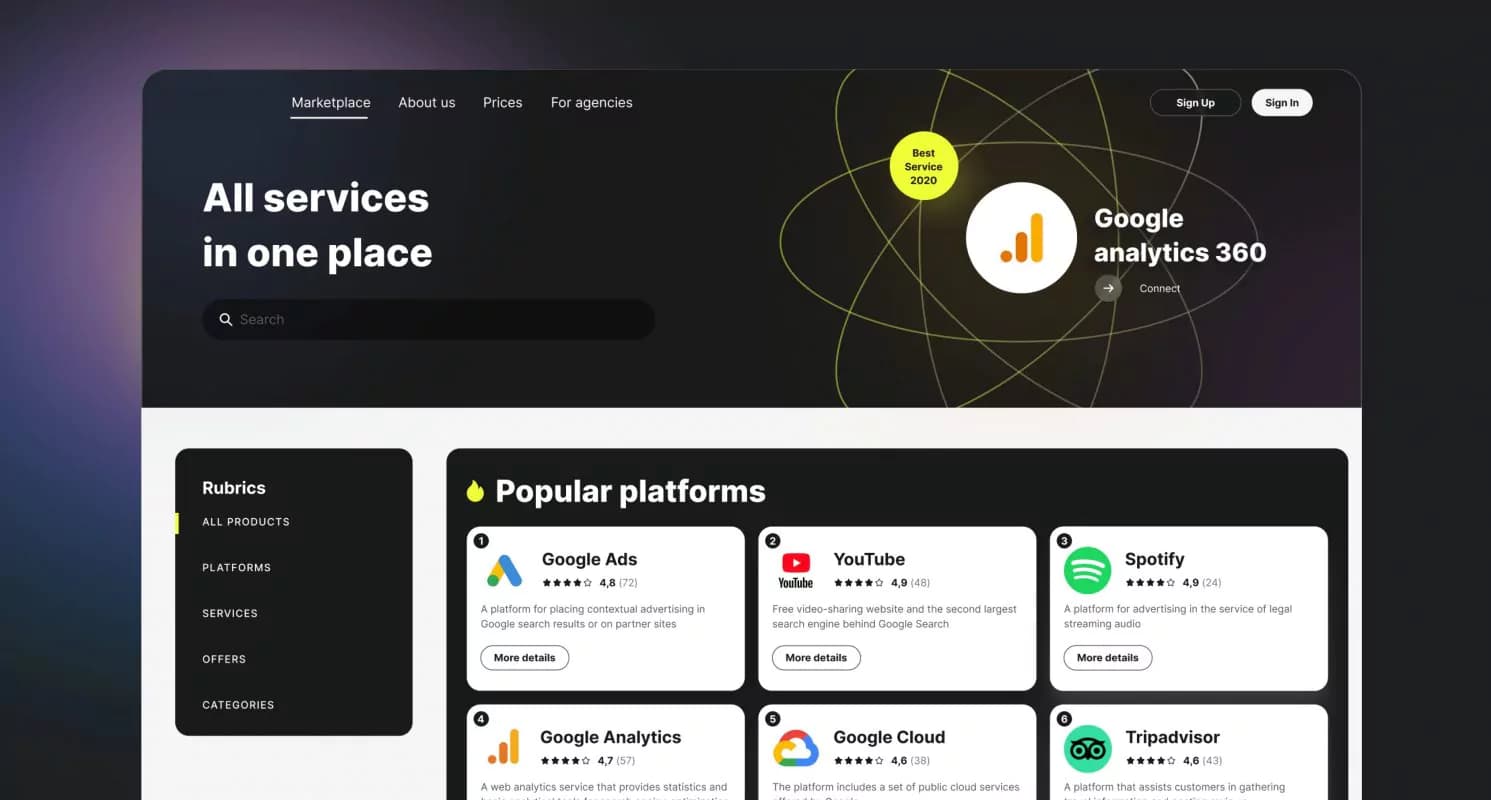
One of the key sections of our product is the marketplace aggregating platforms, services, and offers. We developed APIs and connected our solution to 100+ advertising sites and services through a single window.
On the main page, the products are divided into collections by topics and/or categories. Each collection is complemented with related analytics articles, like how to run a contextual advertisement or updates on Google Analytics.
For those marketers who know what product is required, we placed a search option at the top. Users could continue working with popular, trusted vendors or find new partners for cooperation through the marketplace.
Task manager
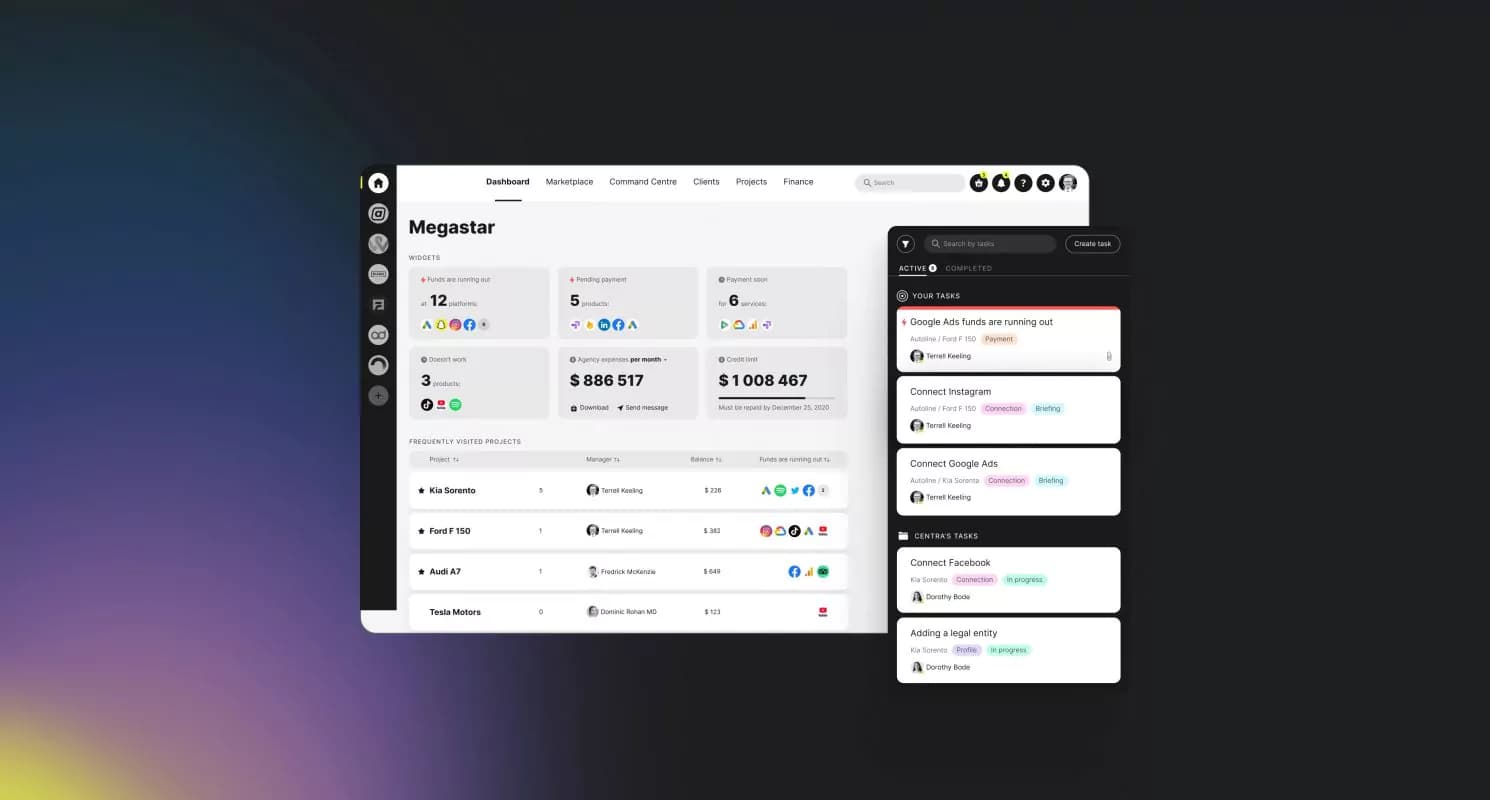
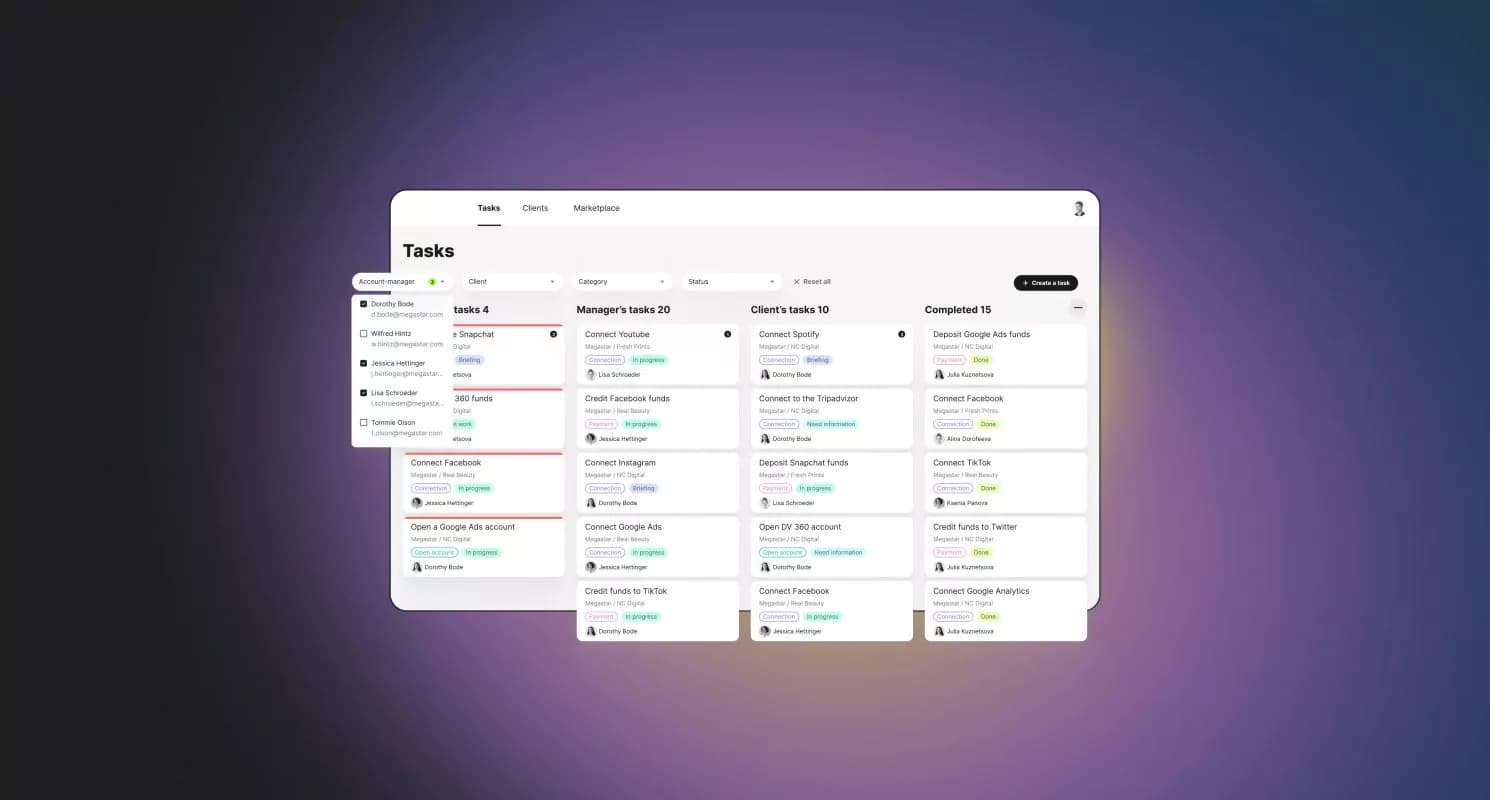
The following core tool on the platform is the task tracker. Marketers can control tasks while all processes get launched and monitored in one system. That reduces the human factor of forgetting about campaigns which turns especially critical when budgets are high.
Furthermore, it provides extra help to run the business. For example, if funds are already running low, Task Manager automatically creates a task for paying for advertisement. Also, that’s a perfect place to communicate and set tasks for our product support team to connect new platforms, services, and offers.
Command Center
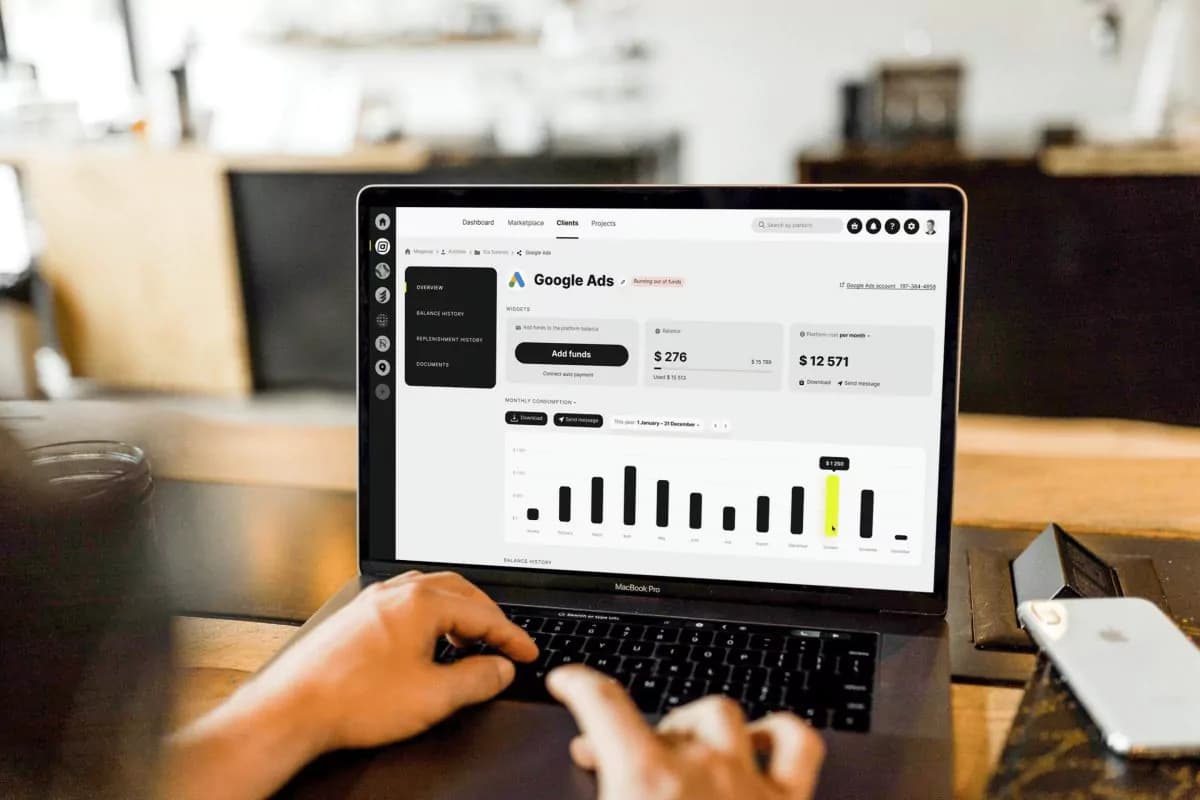
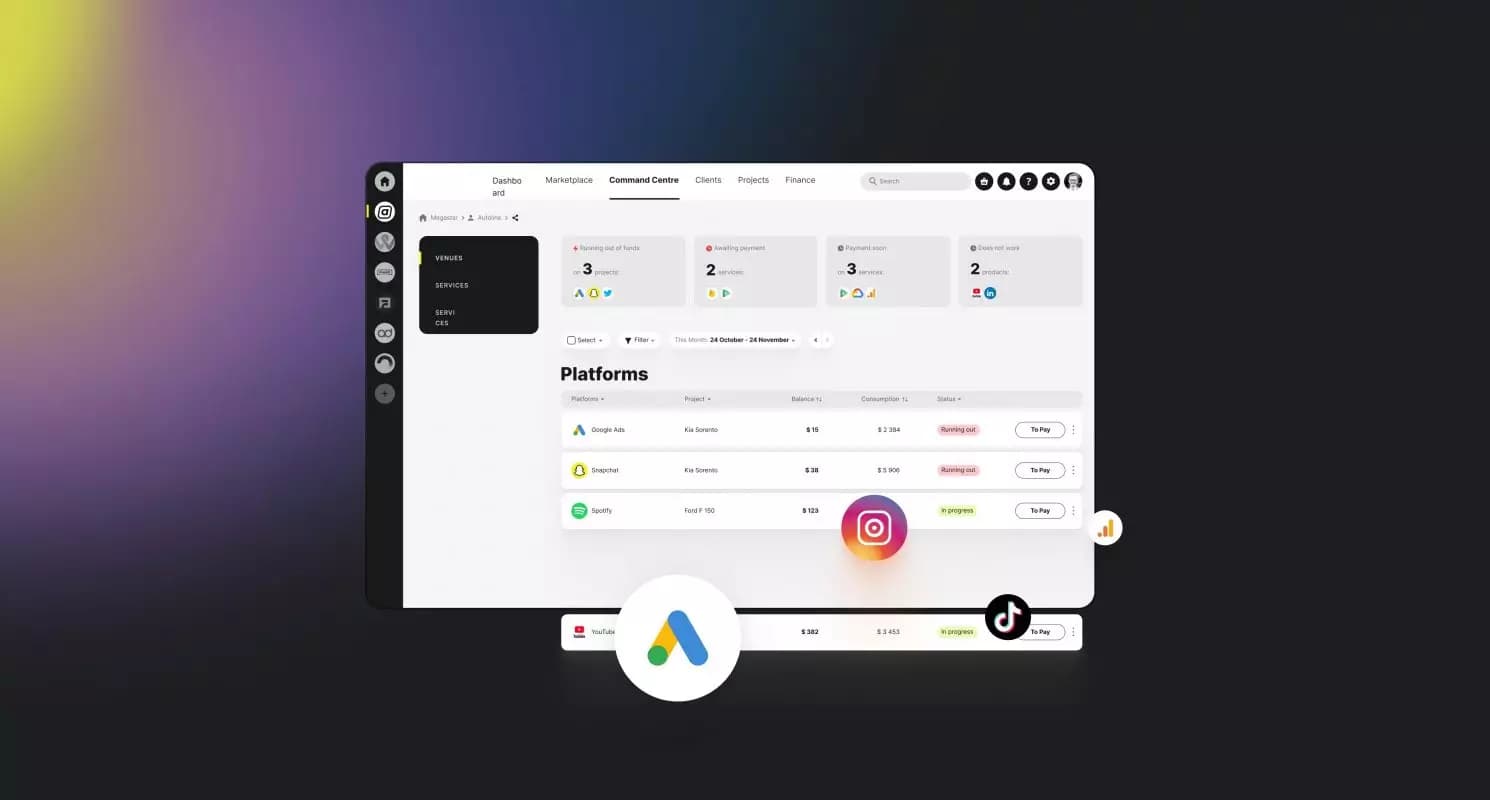
For advertisement agencies, it’s essential to exclude the mess of constantly switching between different tabs, cabinets, and clients. We developed Control Center to manage managers’ connections, open new advertising accounts, and top up campaign balance. This significantly reduced the transition time between agencies’ projects.
Users can quickly view the actual status of any ad campaign by using widgets. The mass deposit function helped seamlessly deposit funds into several cabinets.
Document templates
There is a certain amount of paperwork required to run advertising products. While that’s a mandatory part, we decided to ease the process by providing a package of ready-made materials that could be downloaded with one click. Thus one of the most routine tasks got a bit more fun and automated.
Admin panel
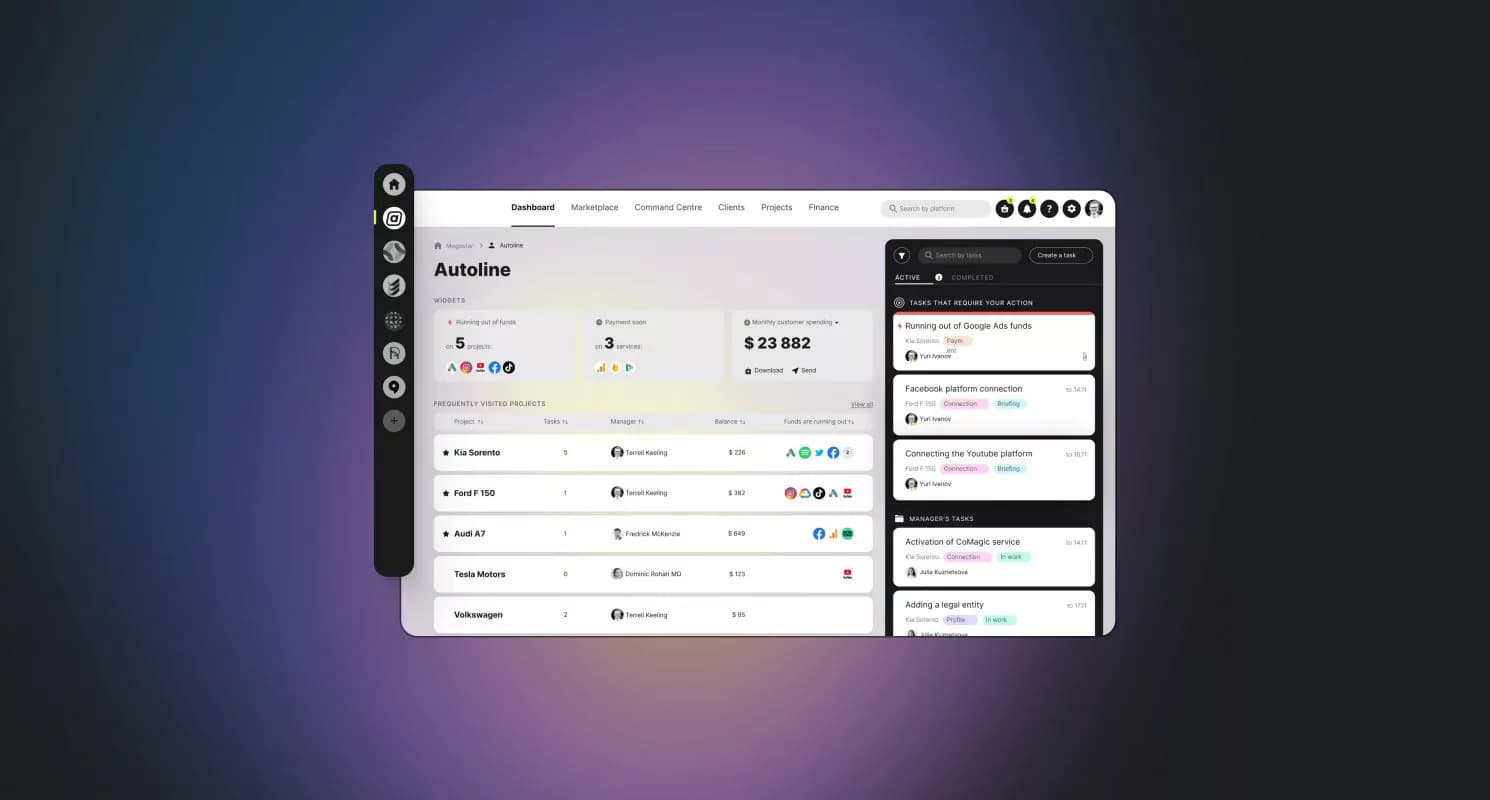
As we were building a complex solution, connecting not only products and services but also people, it was necessary to provide an option to maintain it. Our team promotes “eco-development” and often uses third-party solutions that reduce the time for development. But since it was a very custom tool, we developed a separate admin panel for our client’s team from scratch.
For the admin panel, we defined two roles:
Account managers
Work with tasks provided by managers, and communicate with customers and partners
The admins
Engaged in filling up the marketplace
The managers got their own interface to process tasks on the kanban board. As we envisaged that the number of vendors would constantly grow, we automated the request process for connecting new services.
Development approach
During the development process, we used a few approaches that our team believes helped us come up with a solution that really fits the audience’s needs.
Microservices
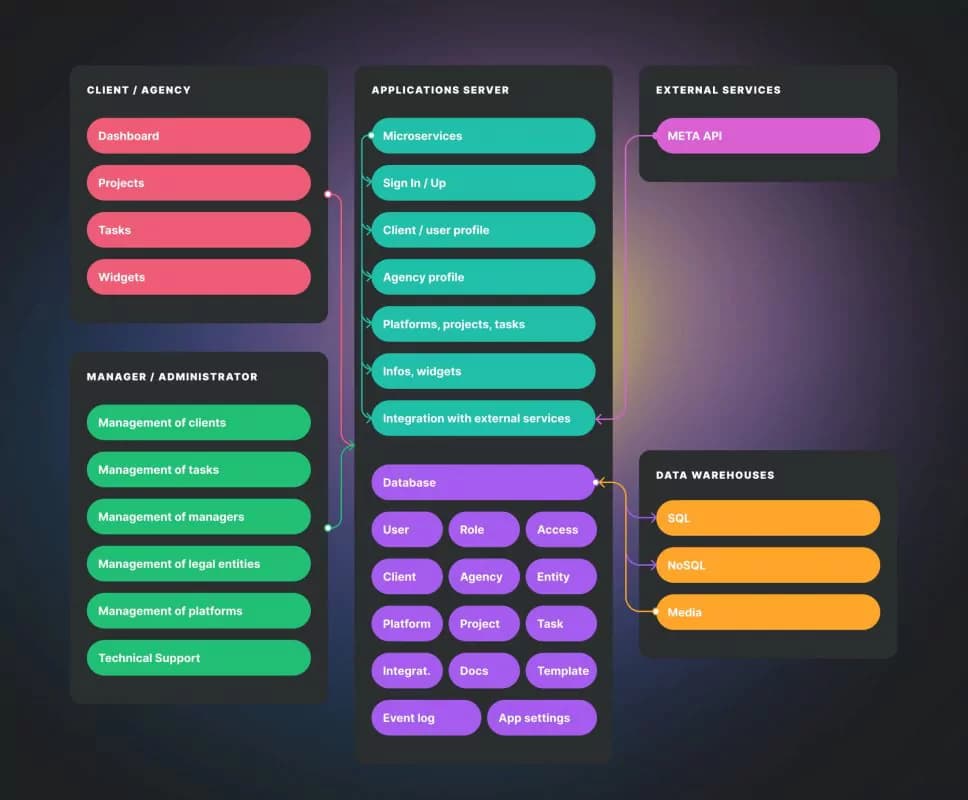
We decided to use a microservice architecture since it allows us to effectively develop a platform with the subsequent simplification of its support. Microservices can be developed in parallel and separated from each other. The only limitation is that we choose a data-centric microservices architecture with one shared database. But even so, each microservice has its own personal set of entities.
Testing
Another critical step was the constant testing of hypotheses and new functions. We had the opportunity to conduct testing sessions with current clients and account managers that generally use the admin panel. In communication with account managers, we identified features they needed to facilitate as daily tasks that were not originally planned. Thus, testing helped us change priorities and deliver the best practical solution, not the imaginary one.
Outcome
Our clients are notable figures in digital advertising, so they managed to draw the attention of industry players from the very start. In the begging, the product had a soft launch with a limited number of users to ensure all the integrated services were working properly.
After two integrations during the four months, we made the tool available to the public. Since then, the number of users, vendors, and funds spent on ad campaigns has consistently grown every month.
685 of platform users
3000+ tasks completed per month