The full case study
MeetingMax, step by step
On this page · 8 sections
About the business
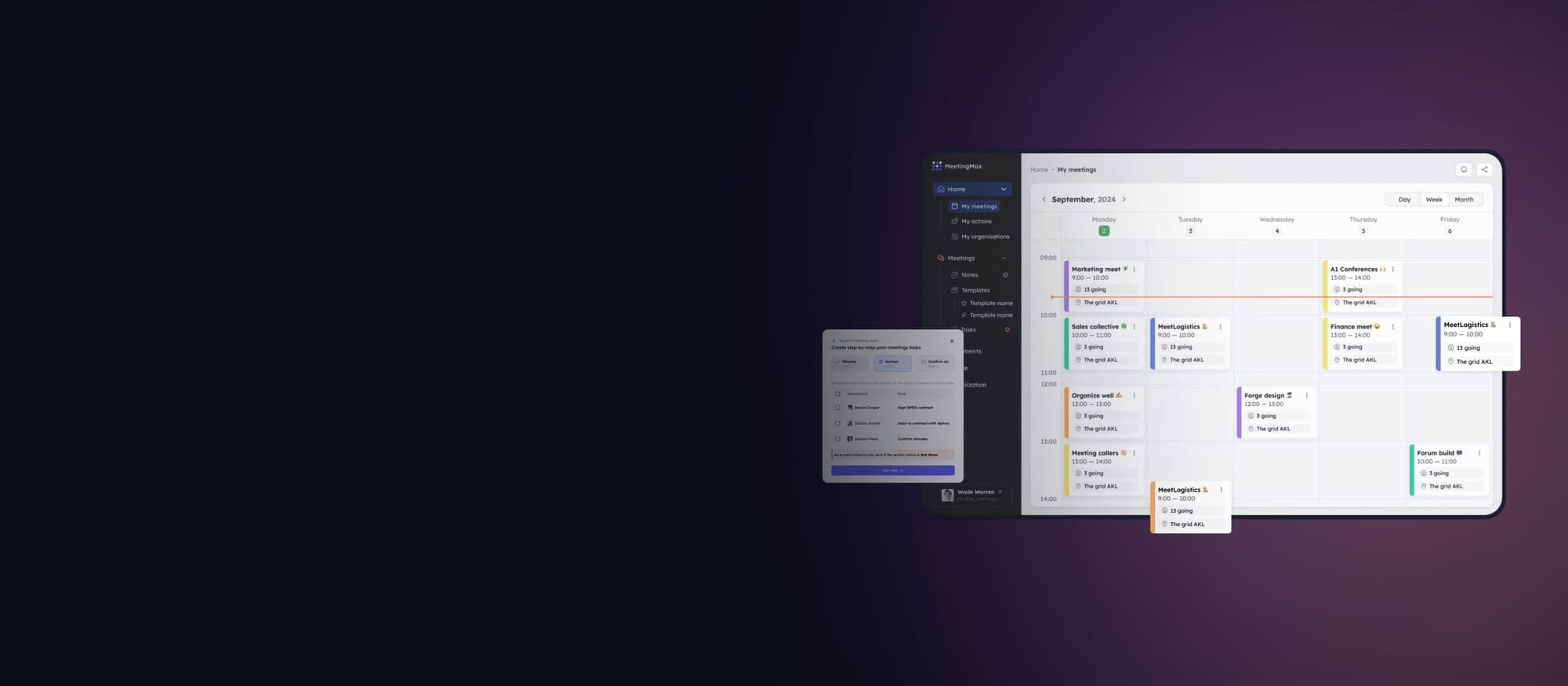
We cooperated with a leading board management software provider located in the United States. They created a SaaS platform called MeetingMax to help businesses of all sizes streamline board meetings and simplify routine processes.
Although the solution offered a wide variety of features, its performance started to suffer with time. On top of that, as the customer base grew, MeetingMax faced several challenges that required improvements in both user experience and system performance.
The client came to us with the request to redesign and modernize MeetingMax solution to cater to a more diverse and demanding clientele.
Project tasks and challenges
When we performed an audit of MeetingMax, we discovered a set of diverse issues:
- The platform was visually outdated and difficult to navigate, leading to low user engagement.
- It can’t be scaled effectively, resulting in slower performance during peak usage times, especially when large organizations utilized the platform.
- The platform lacked robust integration capabilities, which many of the enterprise clients required to sync with their existing tools like Microsoft Teams, Slack, and cloud storage systems.
It became clear that our team needs to redesign MeetingMax platform, addressing all pain points and enhancing overall performance and user experience. Following scope of work:
- Redesign UI/UX. Our design team conducted extensive user research, including interviews and usability tests with board members and administrators. Based on these insights, we designed a sleek, modern interface that is intuitive and easy to navigate. Key features included: – customizable dashboards for different user roles; – drag-and-drop functionality for agenda and document management; – a dark mode option to enhance user comfort during lengthy meetings.
- Scalable Architecture Implementation. To address performance bottlenecks, we redesigned the backend architecture, making it fully scalable on the cloud. We implemented microservices architecture using Node.js for backend services and Kubernetes for orchestration, allowing the platform to handle high volumes of concurrent users without downtime or lag.
- API Integration and Third-Party Tool Sync. We developed robust API integrations with tools commonly used by MeetingMax’s clients, such as Microsoft Teams, Slack, and Google Drive. These integrations allowed board members to sync tasks, share files, and communicate without leaving the platform, improving overall workflow efficiency.
Project team
- Project Manager
- UX/UI Designer
- 2 Front-end Developers
- 2 Back-end Developers
- 2 QA engineers
- Solution Architect
- DevOps
5 months for audit & redesign
8 months for development & testing
Platform Features
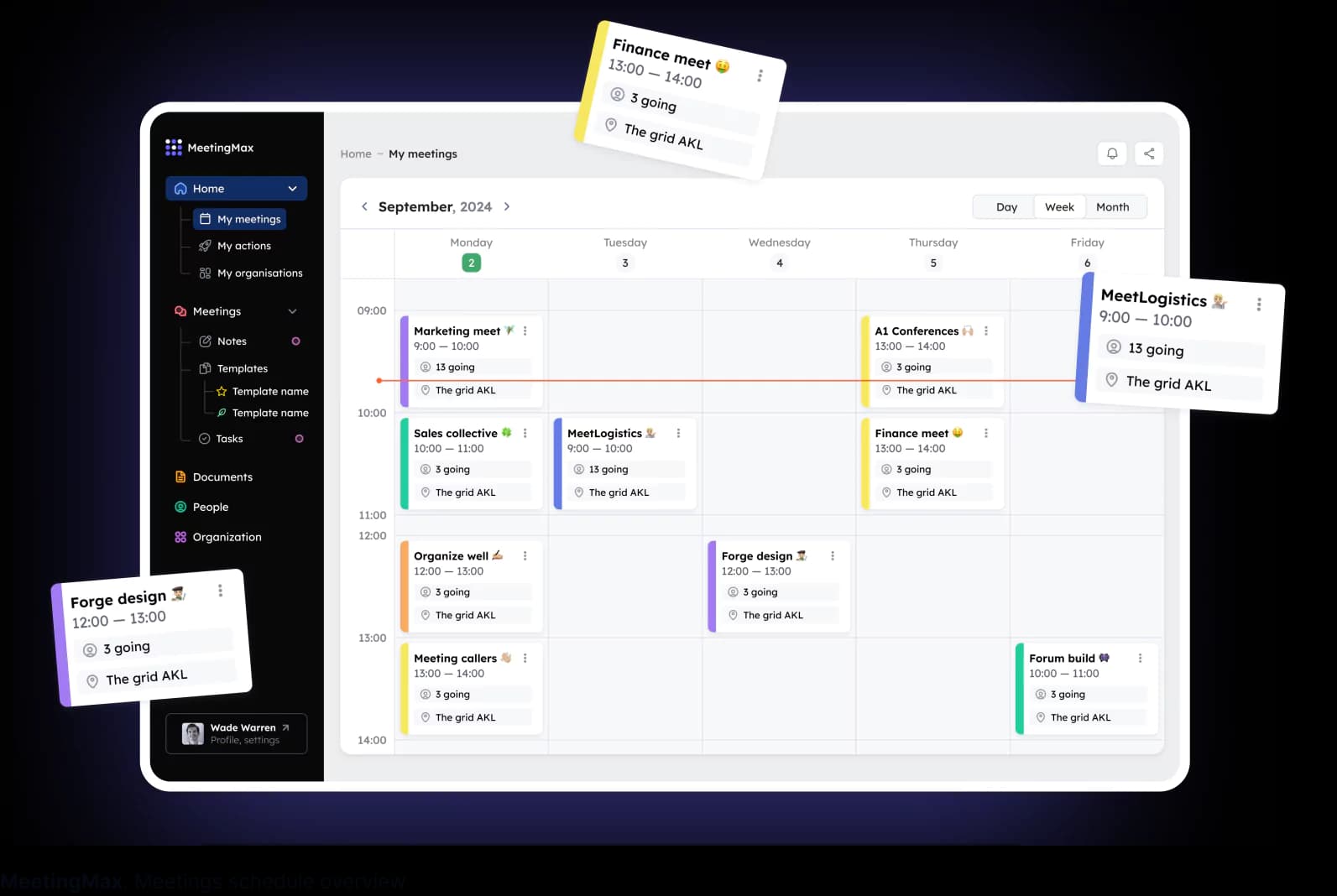
Meeting Schedule Overview
We integrated a feature allowing users easily select the board or committee they want to view, with the option to drill down to the organizational level.
Upon selecting a specific board or committee, a user can see a dedicated dashboard showing recent meetings, upcoming meetings, and assigned actions related to that particular board.
This functionality helps users stay organized, ensuring they are always aware of important dates, ongoing discussions, and pending tasks
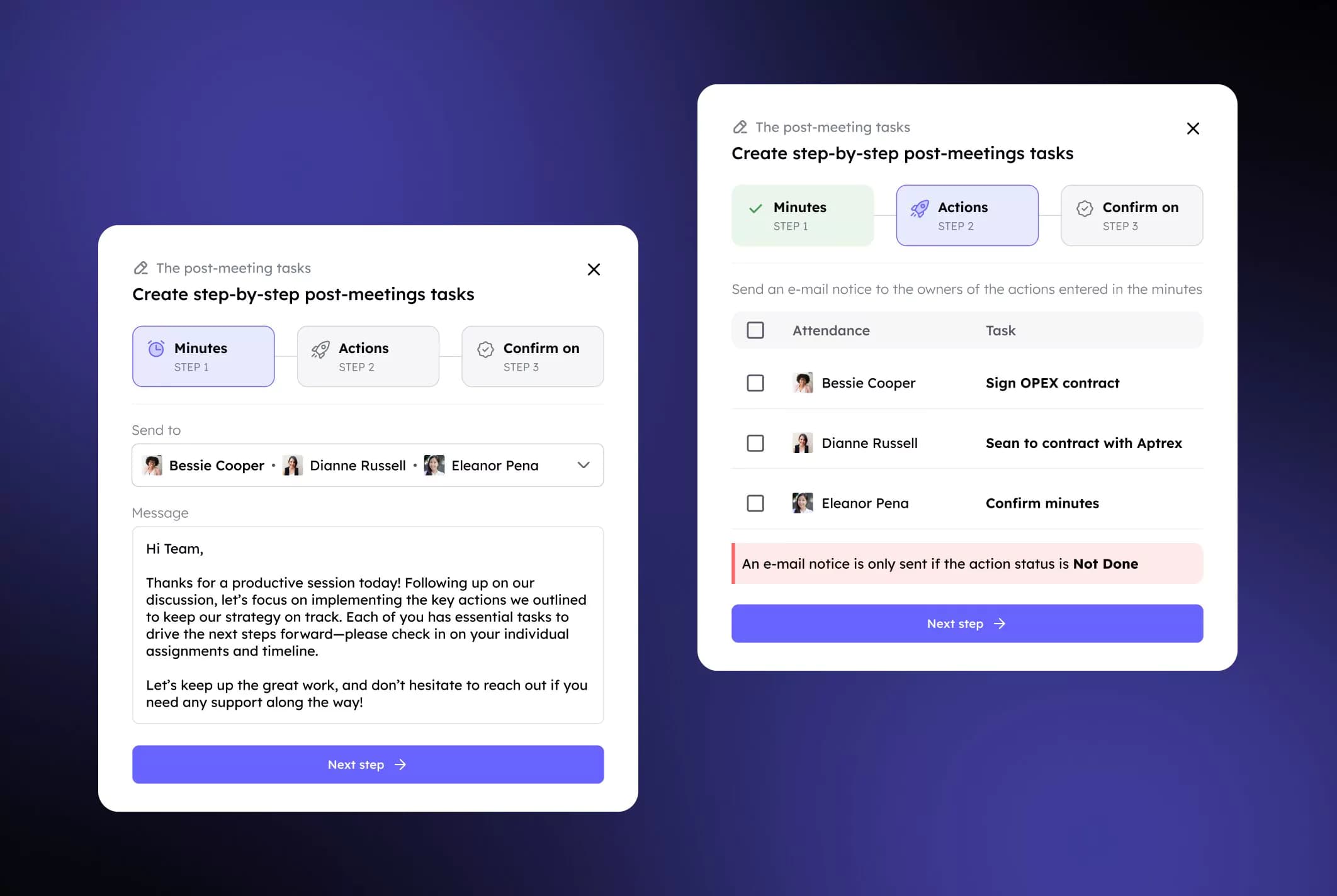
Minutes-Taking and Action Management
MeetingMax includes a comprehensive minutes-taking tool directly linked to the meeting agenda, enabling administrators to document discussions, decisions, and actions in real time.
For each agenda item, minutes can be categorized as notes, resolutions, or tasks, ensuring that all essential meeting details are captured in one place. MeetingMax automatically formats the minutes into a polished, professional document ready for distribution to the board at the end of the meeting.
During the meeting, tasks and responsibilities can be assigned immediately, and the platform sends automatic notifications and reminders to those responsible. These tasks are tracked in a centralized action list, making it easy to monitor progress and keep everyone aligned.
All minutes are securely archived, allowing for easy retrieval of past records whenever needed, ensuring transparency and accountability over time.
Voting and Decision-Making Tools
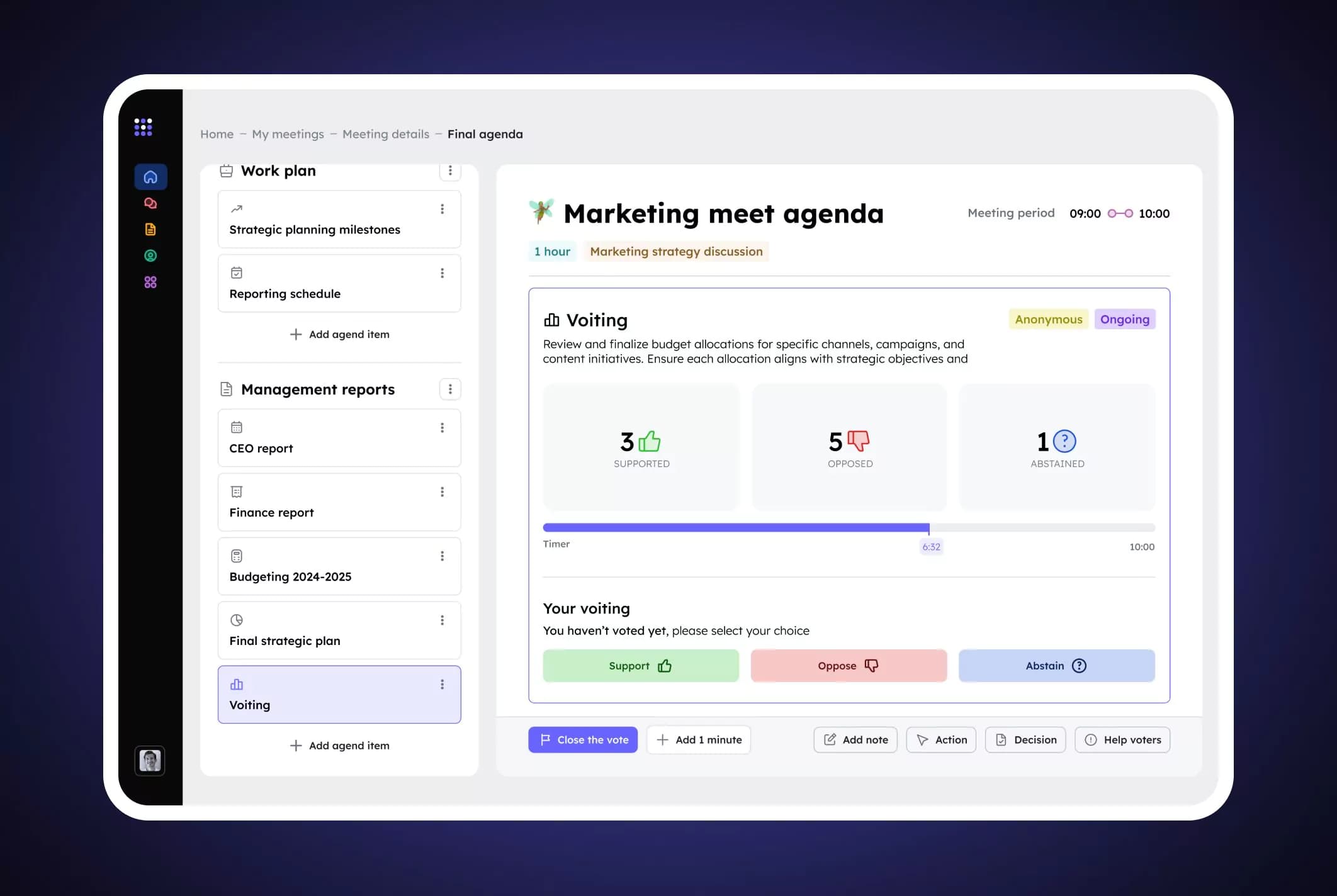
MeetingMax includes voting tools that simplify the process of conducting votes during meetings, ensuring that all board members can participate seamlessly.
Voting can be set up directly within the agenda during the planning stage, allowing administrators to prepare a motion, attach relevant documents, and specify whether the voting will be anonymous or not. This ensures that board members have all the necessary information ahead of time to make informed decisions, as the vote and supporting materials are included in the board pack distributed before the meeting.
During the meeting, board members can cast their votes in real time from any device, choosing to support, oppose, or abstain. If a member is unable to access their device, an administrator can cast the vote on their behalf, with an automatic email confirmation sent to the board member outlining the vote that was made. This ensures that all votes are accurately recorded and transparent.
The platform also supports decision-making between meetings, allowing votes to be cast asynchronously when necessary.
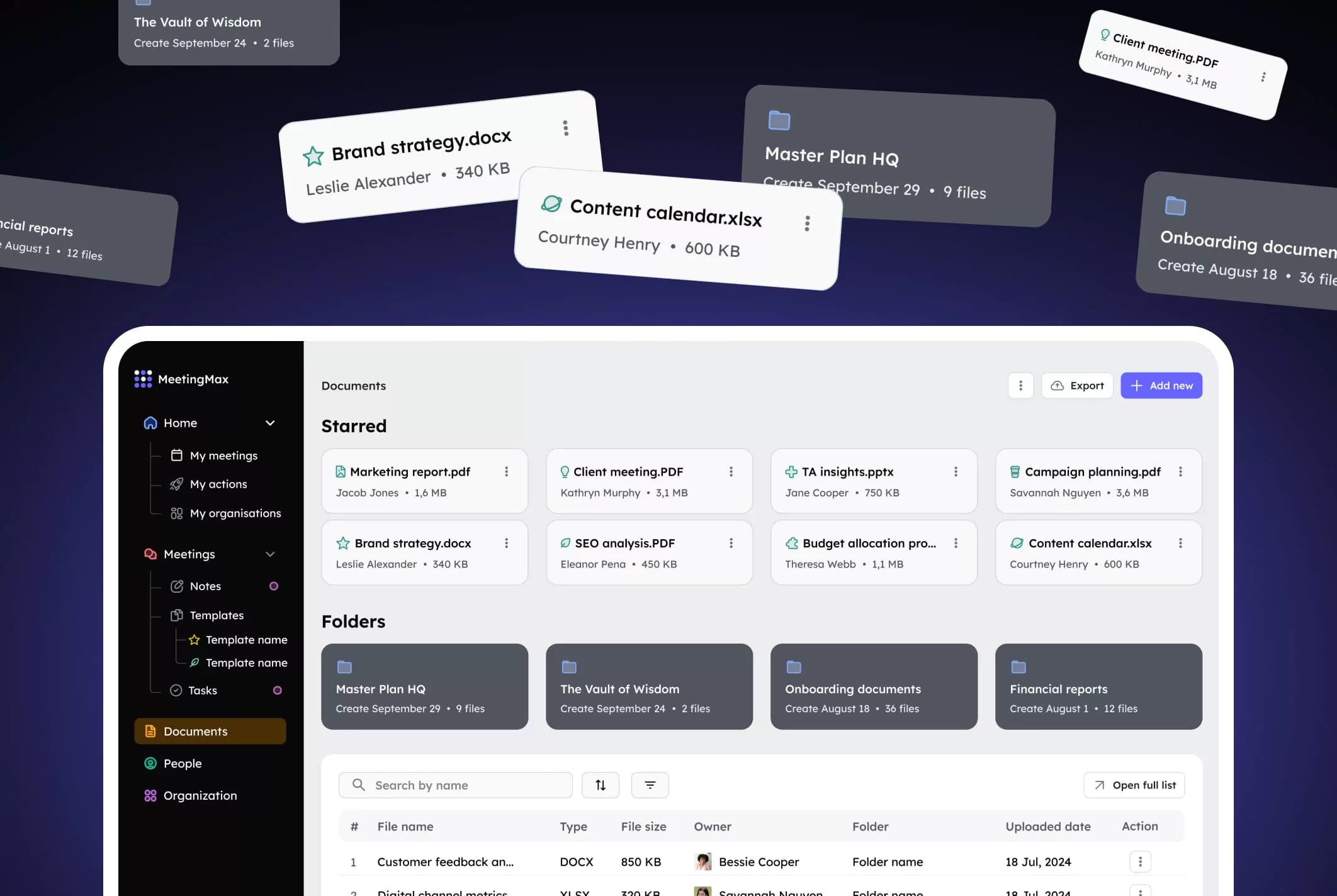
Document management & sharing
We integrated a centralized document management system that serves as the ultimate storage for key governance information, such as organization’s composition, all company members, policies, and other critical documents.
With unlimited data storage and the ability to create an unlimited number of folders, MeetingMax system becomes a one-stop-shop for all board members. They can confidently access everything they need in one well-organized digital space.
Key features of document management system include:
- Centralized storage for all board-related documents, providing a secure and reliable repository.
- Access control options that allow administrators to restrict folder access to board members only, ensuring sensitive documents remain confidential.
- Easy to use document repository where users can easily search using simple keywords and quickly locate specific files whenever needed.
Document management and sharing feature guarantees that board members have easy, secure access to the documents they need, whenever they need them, without relying on scattered email attachments or external storage solutions.
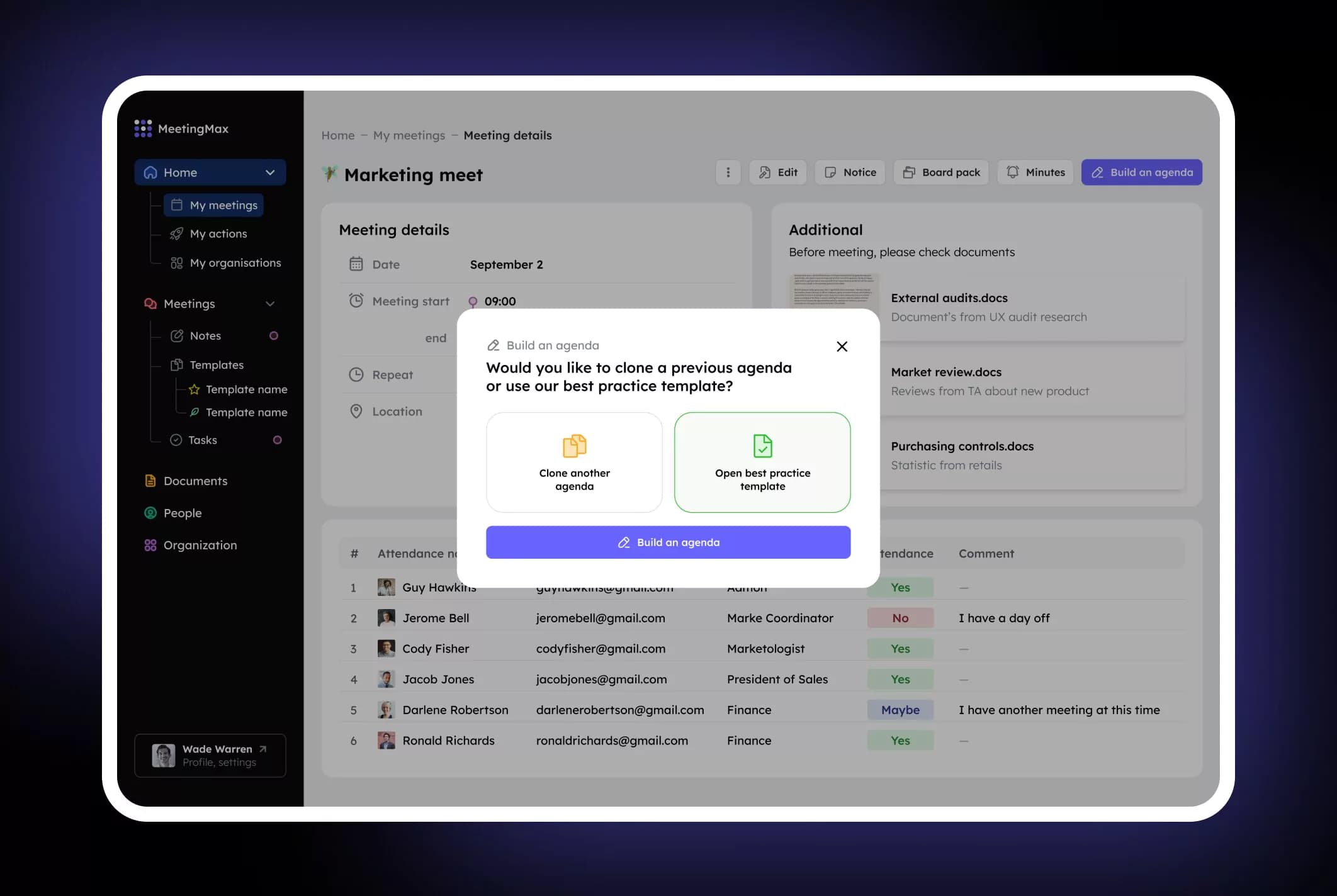
Agenda builder
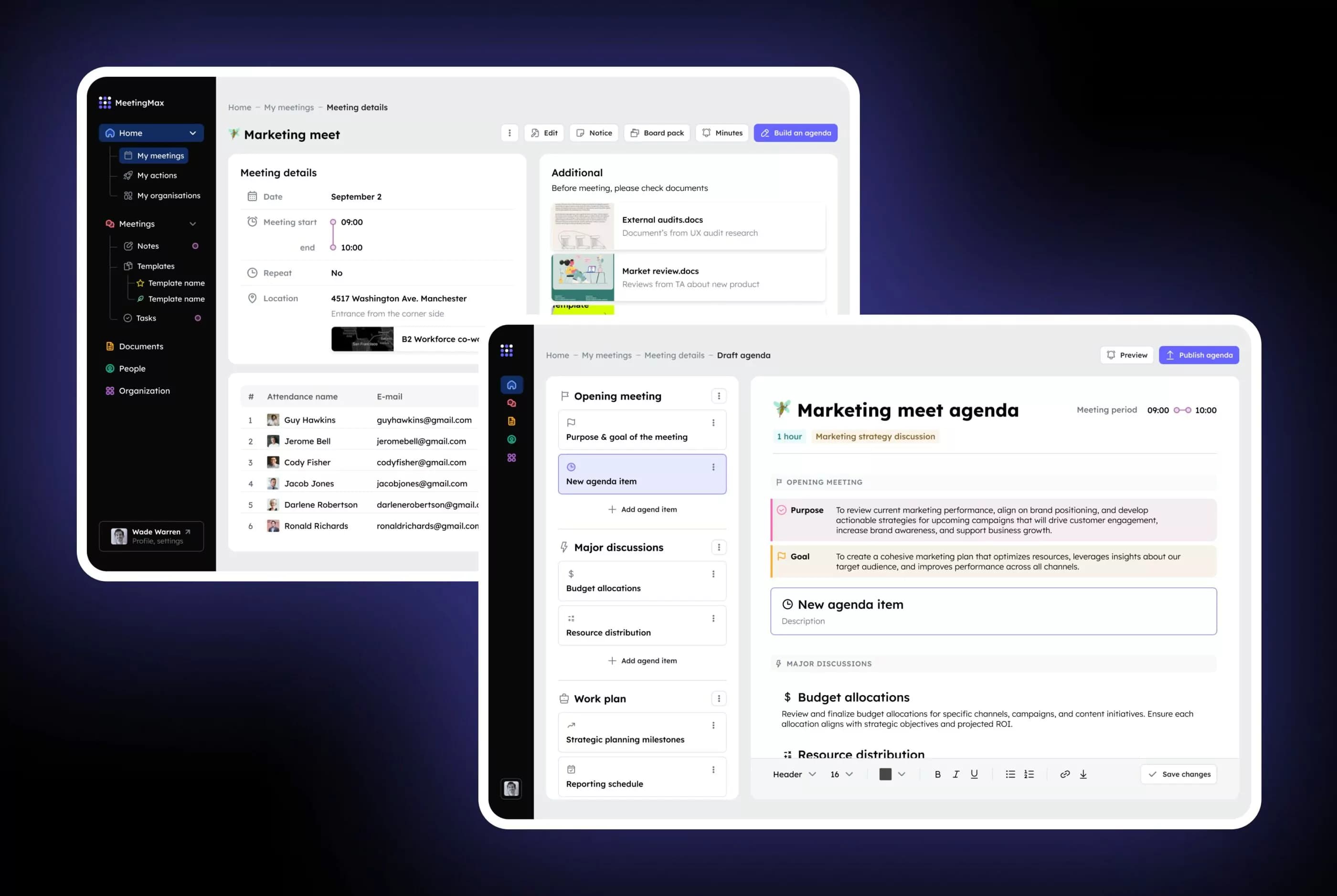
MeetingMax platform offers a user-friendly agenda-building tool, allowing administrators to create, organize, and modify meeting agendas using simple drag-and-drop functionality.
This feature ensures that meeting agendas are structured, detailed, and easy to follow, enabling board members to prepare efficiently ahead of time. For each agenda item, administrators can:
- write a purpose and goals
- select a presenter for that section
- allocate a specific time allowance
- attach all necessary supporting documents, which are automatically collated into the final board pack
- set meeting period
Once the draft agenda is complete, administrators can publish the agenda. At this stage, the platform automatically formats the board pack, which includes the agenda and all attached documents.
The board pack is then securely shared with necessary board members via a secure email link. This email notifies members that the board pack is ready and prompts them to log in to their accounts to view it.
By using this functionality, the days of sending board packs via email attachments are eliminated, as all meeting content is securely stored and shared within MeetingMax platform.
Development approach
MeetingMax application was initially built on the ASP.NET framework. At the time it was built that framework served its purpose effectively. However, as technology evolved and user expectations grew, it became increasingly evident that the application’s underlying technology stack was hindering its ability to deliver optimal performance, scalability, and user experience.
Legacy technologies introduced several major challenges we needed to address during redesign and modernization:
- The application suffered from slow load times, sluggish user interactions, and frequent server downtime.
- The monolithic architecture and synchronous nature of ASP.NET made it difficult to scale the application to accommodate increased user traffic and data volume.
- The complex codebase and outdated technologies required significant effort to maintain and update, leading to increased development costs and extended time-to-market for new features.
- The use of outdated libraries and frameworks exposed the application to potential security threats, requiring constant vigilance and patching.
- The rigid nature of the legacy stack made it challenging to adapt to changing business requirements and implement new features.
To address these challenges, we selected a comprehensive modernization strategy leveraging the following technology stack:
- Frontend – React was selected as a powerful JavaScript library for building user interfaces, providing a robust, scalable, and performant frontend.
- Backend – Node.js was used for building scalable and efficient backend services, and NestJS – for building efficient, scalable, and enterprise-grade server-side application.
- Database – We selected PostgreSQL since it’s a powerful, open-source object-relational database system for handling complex data structures and queries. We also used Redis for caching frequently accessed data, improving performance and reducing database load.
- Cloud Infrastructure – AWS cloud platform was chosen since it offers a wide range of services for hosting, scaling, and managing applications.
Our modernization effort yielded significant benefits:
- The new application exhibited significantly faster load times, reduced response times, and a more responsive user experience.
- The adoption of a microservices architecture and cloud-native technologies enabled the application to scale effortlessly to accommodate increased user load and data volume.
- The modern technology stack simplified maintenance and updates, reducing development costs and accelerating time-to-market for new features.
- The implementation of robust security measures, regular security audits, and the use of up-to-date libraries and frameworks minimized the risk of security breaches.
- The modular and flexible nature of the new architecture made it easier to adapt to changing business requirements and introduce new features.
- The efficient utilization of cloud resources and the reduced operational overhead resulted in significant cost savings.
Outcome
After a redesign MeetingMax platform delivered significant improvements across key performance metrics. Here is what benefits our client got:
- 45% increase in user engagement due to the new, intuitive interface.
- 25% faster performance during peak usage times, thanks to the scalable backend.
- Seamless integrations with third-party tools like Microsoft Teams and Slack, which improved workflow efficiency for 60% of users.
- Cloud infrastructure made the platform more scalable and reduced maintenance costs by up to 45%.
Our client is completely satisfied with the results of the MeetingMax redesign. They are planning to keep improving the platform and expanding its feature set to satisfy the needs of a growing user base.