The full case study
KMC Controls, step by step
On this page · 6 sections
About the business
To start with, our client is KMC Controls, an independent American manufacturer of open, secure, and scalable building automation and technology solutions. The company was established in 1969 and initially focused on engineering and manufacturing damper actuators, pneumatic-electric switches, and logic relays through private-label contracts with OEM partners. Fifty years later, KMC controls teams with leading technology providers to create innovative products that help customers increase operating efficiency, optimize energy usage, maximize comfort, and improve safety. Currently, their products control buildings of all sizes and types worldwide, including the most sustainable office building in North America.
When KMC Controls reached out Artkai team, they needed a solution that allowed them to manage different parameters of the air inside the buildings within one dashboard. They already had the KMC Commander system, but it was outdated and inconsistent and had some UX issues. In fact, there was no customizable solution across the whole market that allowed displaying current data and managing the devices simultaneously. Old systems required much manual work to check the metrics and manage air quality accordingly. Overwhelmingly, UI was inconsistent, and the system looked outdated and complicated to users.
Our team got a chance not only to bring new life to KMC Commander but, what’s important, to turn the tide on modern smart building ecosystems.
Project tasks
- Perform the audit of the current solution to propose the step to step redesign action plan
- Build a universal, easy-to-use, modern and flexible solution that can be seamlessly tailored to the client’s scale
- Make the system dashboard easy to perceive, so not technologically savvy users conveniently make informed decisions based on the received metrics
Project team
Team: 2 UI/UX designers, 3 Full-stack engineers, Solutions Architect, DevOps, Project manager, Business analysts, QA engineer.
8 months for research and UX/UI design
12+ months for development
Design and development are done in parallel after the research and discovery phase.
Product development
Product idea
KMC Commander is a unified IoT platform that helps control air quality, humidity, and temperature inside buildings. It collects data in the building and sends it to the cloud. That allows users to track, trend, and trigger their systems and devices securely from anywhere. With the constantly growing number of features and KMC Controls partners, users can contextualize data to better understand the building, from NOI to operations and maintenance.
It works perfectly for commercial buildings, educational facilities, retail, agriculture, hospitals, and retirement communities.
Development approach
Obviously, KMC Commander was a big and hard system. Many users faced difficulties trying to set the system for their needs. Although the system brought a lot of value to the users, it was a pain point to deal with it if you were a newbie. As we worked with the existing product, we made a careful step-by-step plan to start the transformation journey:
- Client interview to understand business requirements and goals, gather existing knowledge and gain clarity and consensus on customer needs, motivations, and behaviors
- Creating Personas and CJM
- Backlog Preparation & Prioritization
- Visual concept and Clickable Prototype that represents the core functionalities.
- Start of the Development (React, Vue Native, Node)
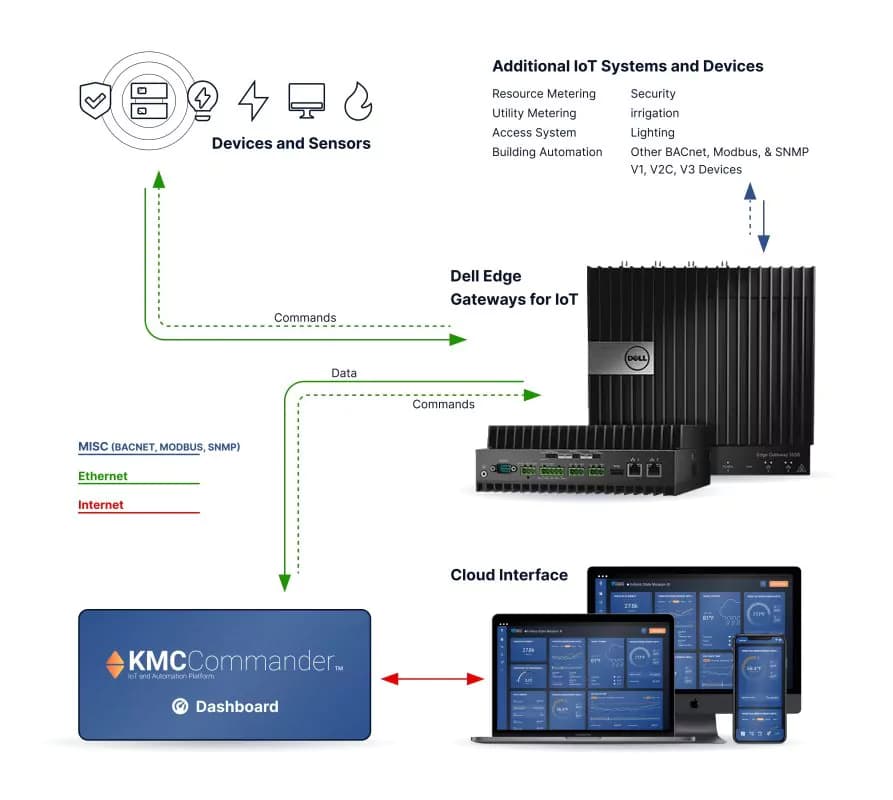
Solution functionality
Dashboard
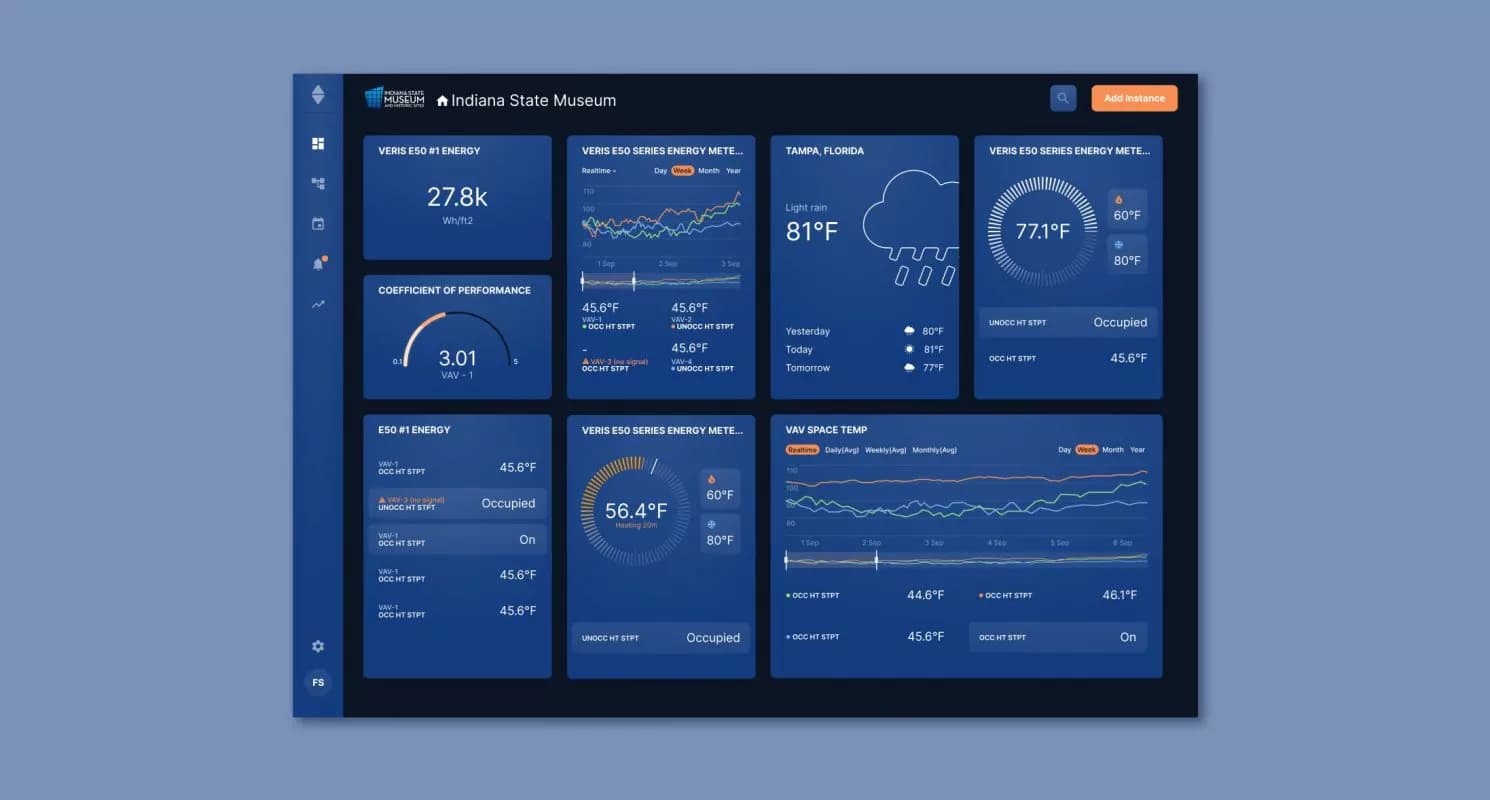
The dashboard is the key point for user interaction with the system. It displays detailed metrics that reflect the performance of air-controlling devices and the state of the air. The gathered statistics show the user the big picture of what’s going on.
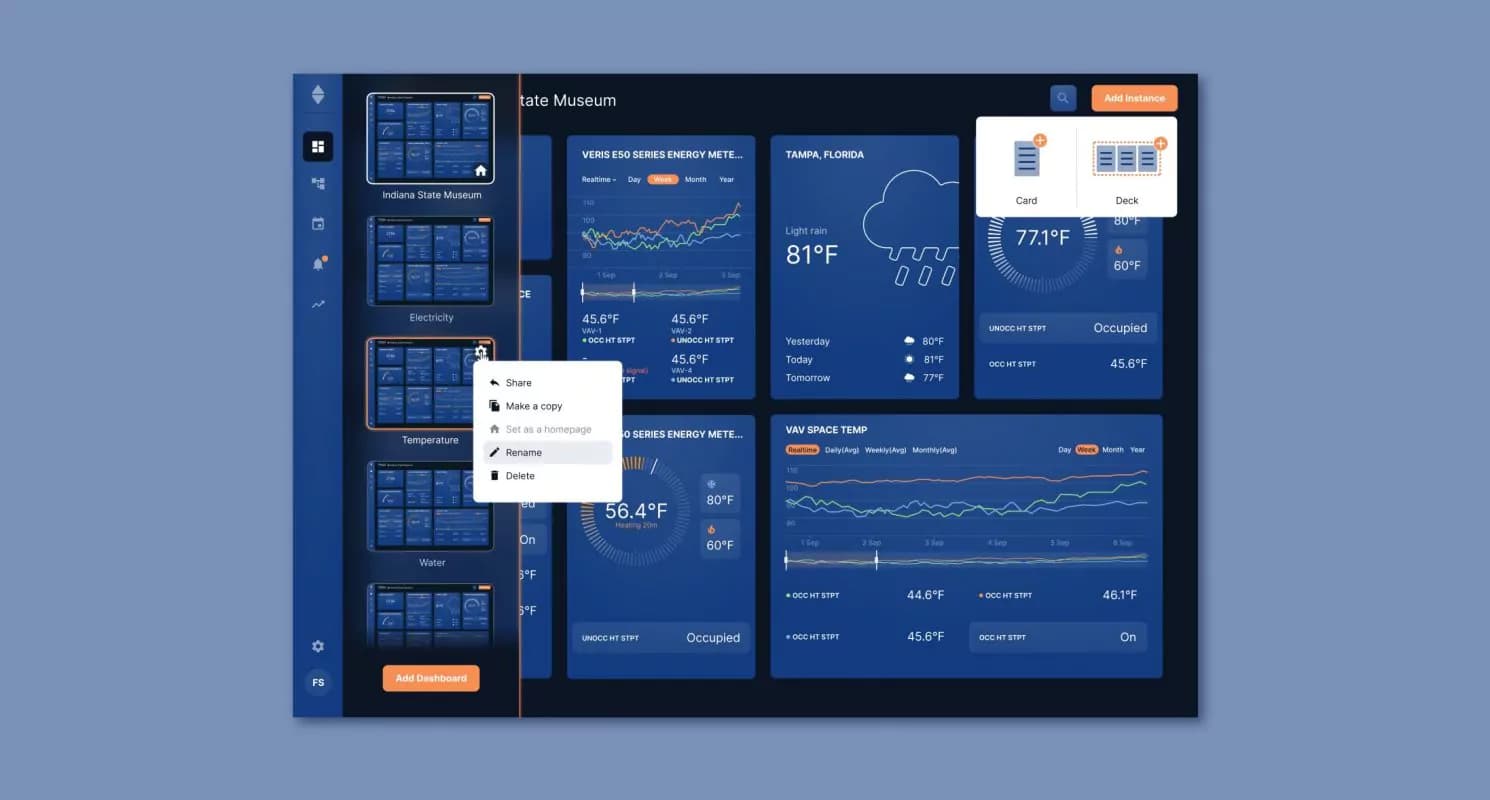
Customization
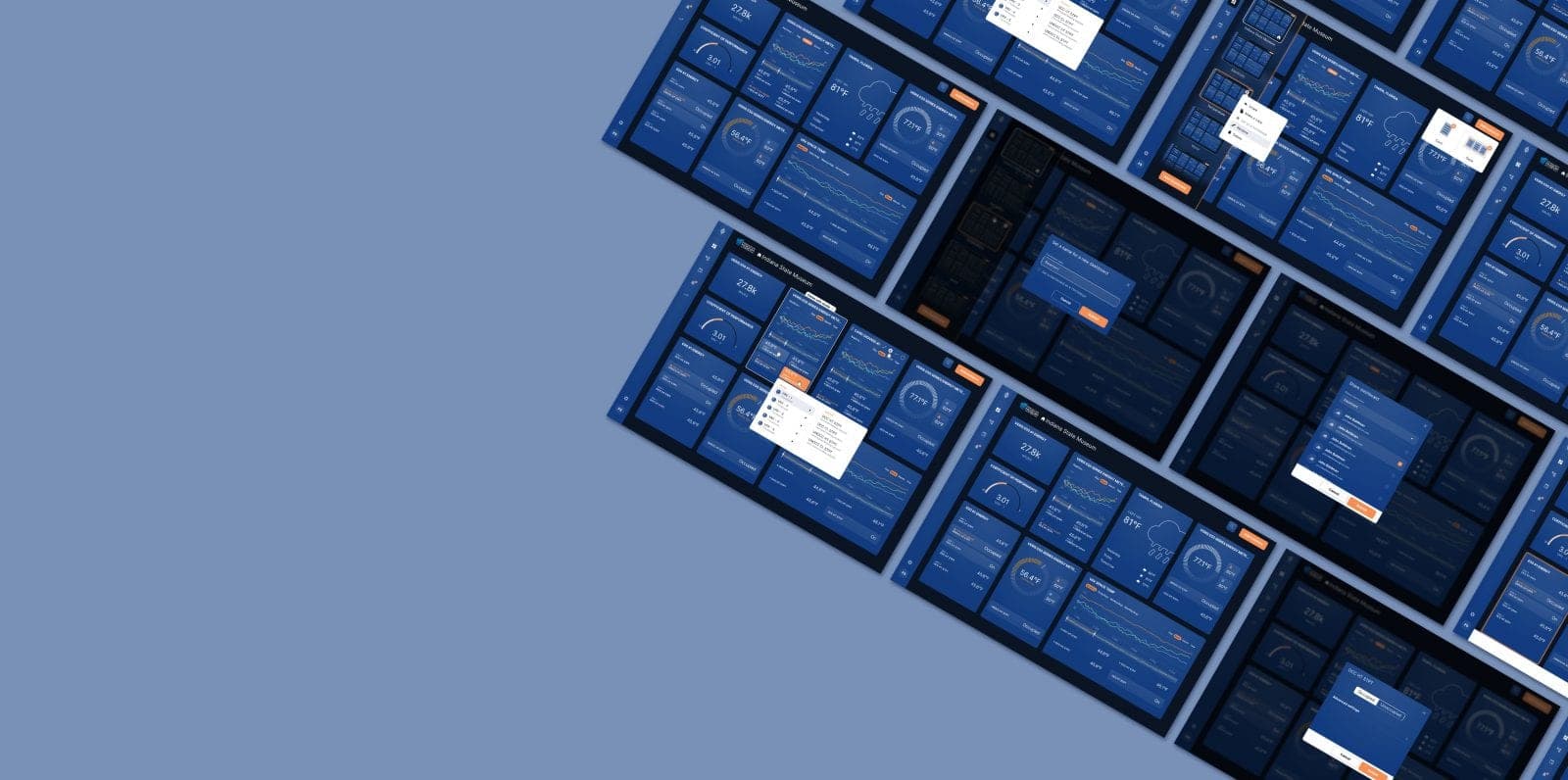
We made it possible for users to have several dashboards. The idea is that each dashboard can be easily customized to display the data of specific devices and sensor metrics with a higher priority.
Plugins
Also, we designed a page with plugins that can be activated and provide additional options to work with the obtained data. There is a Data Explorer part that allows editing or rewriting of any parameters of the device. Customizable trends allow comparing any metrics and quickly switching between them.
Onboarding
While the system is complex, our team aimed to build intuitive communication between devices and users. We knew we had reached our goals as testing showed that onboarding and onboarding and education were unnecessary for the users.
Alarms
Also, the user can set the alarms to notify a responsible person if metrics hit the critical mark. In addition, there is an option to create a custom schedule for each device or group of devices to make them active in a certain period. Users can assign profiles on the devices or the groups of devices.
Top-7 improvements to the platform
Optimized and rethought flow, so information not available to set up is not shown. Said “no” to dead ends.
Created a big modal wizard with card examples and explanations, so widget creation got more intuitive.
Multi Selection. Added an ability to select several instances at once and allowed applying certain functions for all of them.
Showed the type of device with the name. Also, we showed an icon that represented the device.
Wrote the full name of the characteristic on each setpoint or had an alt tooltip describing the particular point.
Small prompts on the empty states
Made an error message more prominent. If possible, the error message got placed near the error area.
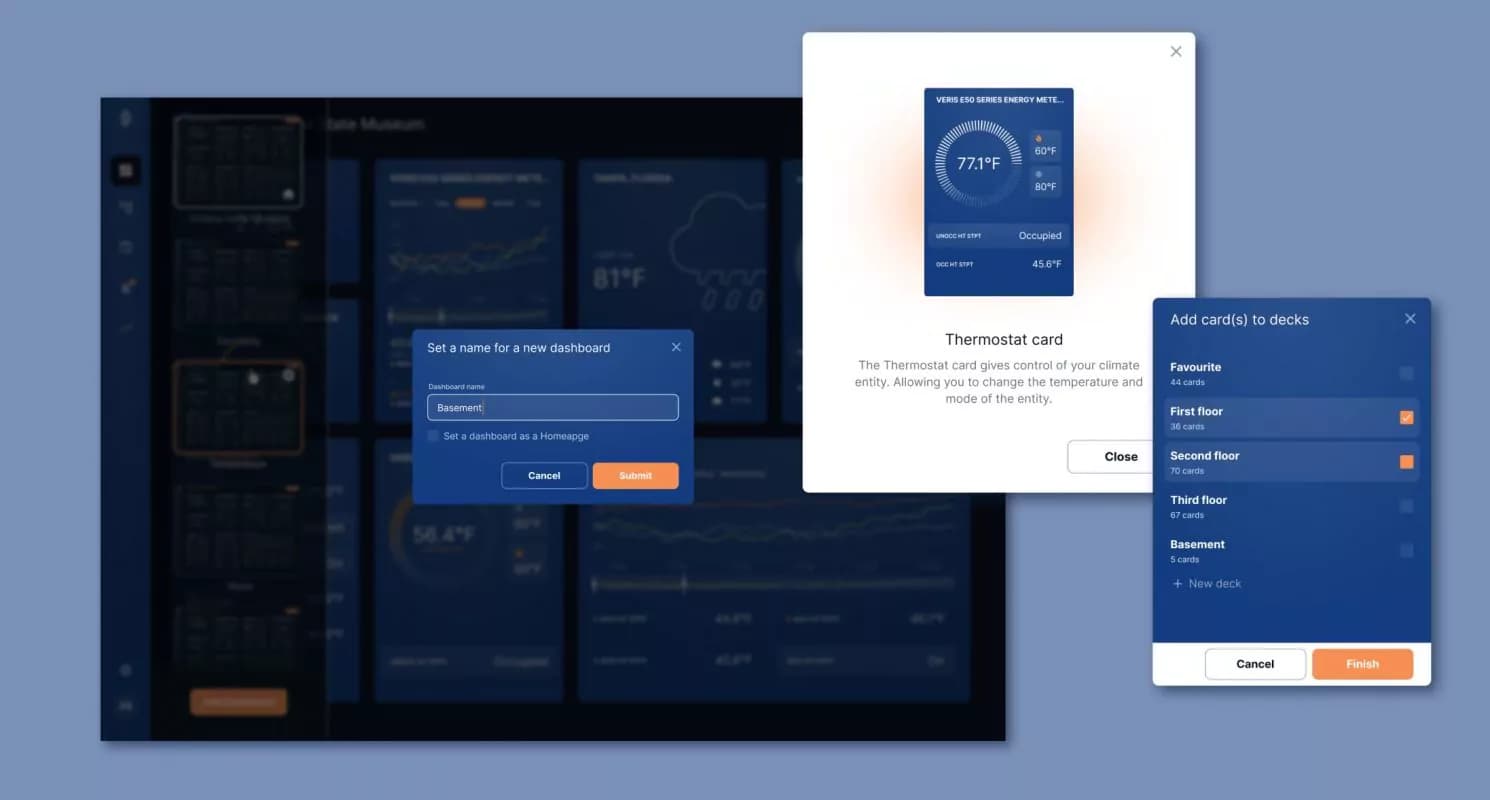
Product advantages
The platform got a list of valuable advantages that made it stand out among the closest industry competitors:
Communication over open protocols that are compatible with most buildings across industries
Easy-to-use dashboards for all users, from owner and facility managers to tenants and occupants
System schedules, trends, and alarms are all out-of-the-box capabilities
Add-on partners and a fully documented and supported REST API for building out IoT strategies
Scalable from a single facility to an entire portfolio, bringing visualization and control to a single cloud-based platform
Built-in security from edge to cloud, including IT-friendly communication, data encryption, whitelisting/blacklisting, and much more
Outcome
KMC Commander became a strong foundation for a modern smart building ecosystem right out of the box. It helps thousands of users to optimize energy usage, increase operational efficiency, maximize occupant comfort and ensure a safe environment. It also offers unprecedented integration capabilities into building systems by utilizing open yet secure protocols.
Facilities managers can visualize indoor air quality, collect and tag data, create schedules, view history and trends, add key security elements to systems or receive texts and email alarms.
A well-thought-out system made it easy to connect with partners, now, there are 150 of them. The list includes such big industry names as Intel and Amazon.
35% of average users growth
x1.5 decreased a churn rate
Client review